
 Top-Views
 New-Updates


Use the 360-degree Pokémon GO joystick and smart route planning to auto walk in the game. Safe and simple. Try for free now!
Grinding kilometers in Pokémon GO can feel like a second job. Eggs will not hatch, Buddy candies crawl in, and rainy days ruin your plan to get the 50km reward.
That is why many players turn to a Pokémon GO auto walker to simulate movement and keep progress going from home.
What is a GPS auto walker, how does it work, and which tools are reliable on iOS and Android in 2026? Here is a clear, practical guide to help you choose wisely.

Quick Navigation
How do you auto walk in Pokémon GO?
Auto walking in Pokémon GO means simulating movement without actually going outside. Players use Pokémon GO spofoers to change their GPS location, so the game thinks they are walking to different places.
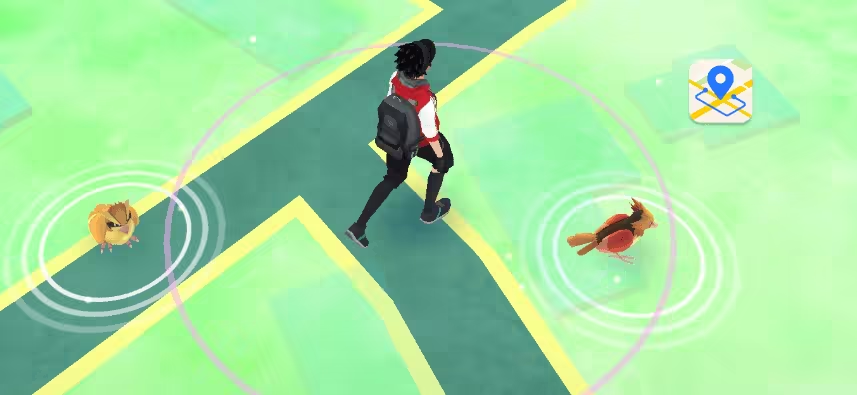
Most auto walking apps work by using fake GPS. You can set a route, adjust walking speed, or control movement with a joystick. Some tools even generate automatic paths for you.
With an auto walk app, you can hatch Eggs without walking and finish the Adventure Together to Evolve task easiy.
Popular options like AnyTo and PGSharp (a Pokémon GO mod) let you teleport or simulate realistic movement. They also include player-friendly features such as cooldown timers, IV checkers, and auto catcher options.
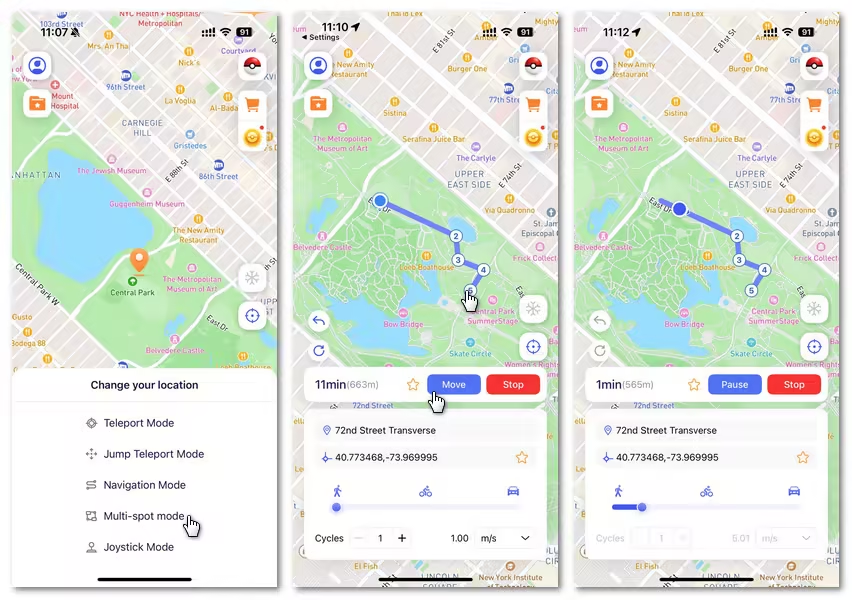
Video Guide: Using Auto Walker in Pokémon GO
Watch this video guide to see how you can easily auto walk in Pokémon GO.
Auto walk apps for Pokémon GO [iOS/Android]
1 Auto walker for iOS: AnyTo Pokémon GO Spoofer
The best Pokémon GO walking app for iOS is AnyTo Pokémon GO Spoofer. It works seamlessly with all recent versions of iOS and doesn't require jailbreaking your device.
It is one of the safest tools for Pokémon GO spoofing. It doesn't rely on patched clients or running the game inside a Pokémon GO emulator. It supports using the official Pokémon GO app, leaving the core game binary untouched.
AnyTo also seamlessly supports the Android platform and and comes with plenty of game-friendly features. With it, you won’t feel stuck or limited by the challenges that rural players usually face.


AnyTo's Key Features
- The best Pokémon GO auto walker app that requires no cracked game. Pokémon GO error 12 solved completely.
- Seamlessly compatible with the latest iOS 26 Beta and Android 16. Available for all players.
- 100% safe to download and use. No account suspension or soft ban.
- Catch the highest CP Pokémon in 1 click.
- 360-degree joystick allows you customize the route and speed, and simulate walking freely.
- The specific Game Mode offers you more advanced features, including Pokémon scanner, Pokestop map, IV checker, PvP battles finder, Nest Map, Live Atlas and so on.
- Free trial is available for everyone!
Steps to use AnyTo to auto walk in Pokémon GO
Step 1 Install and then open AnyTo on your phone.
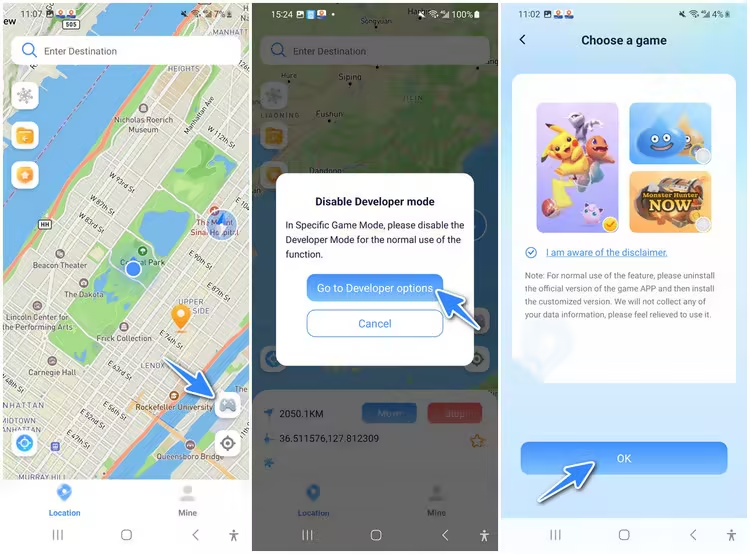
Step 2 Tap the Poké Ball icon in the top right > Select the Route icon to create an auto-walk path
Step 3. Tap Move to start walking automatically.
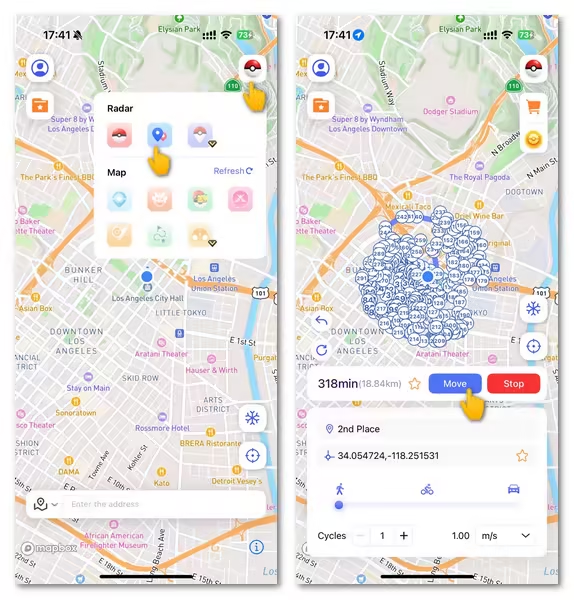
You can also use the PC version of AnyTo for Pokémon GO auto walking.
 1-Click Change GPS Location with AnyTo!
Choose your platform and install (iOS, Android, PC).
Select a location mocking mode.
Change location anywhere you like.


2 Auto walker for Android: GPS Joystick by The App Ninjas
For Android users, GPS Joystick by The App Ninjas is one of the most popular Pokémon GO auto walkers. It allows you to auto walk or fly to different locations, giving you full control over your in-game movements.
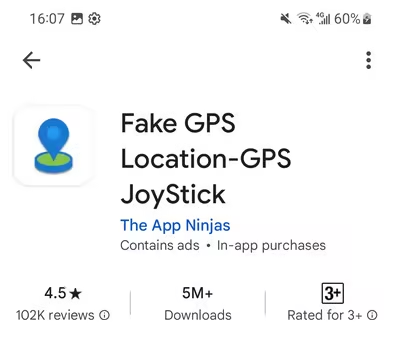
One downside is that this app doesn’t include a Pokémon GO cooldown feature. Another is that it’s much safer to use on a rooted Android device. Using this GPS spoofer alone can put your Pokémon GO account at higher risk.
Step 1. Download and install the joystick app.
Step 2. Enable Developer Mode and set it as the Mock Location app.
Step 3. Open the app > Set Route > Generate Route.
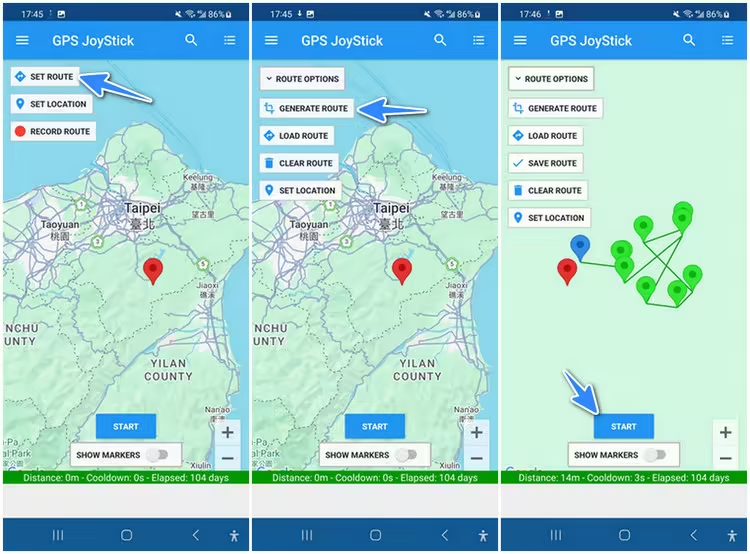
Step 4. Open Pokémon GO and you'll see your avatar moving on the map.


Tips
AnyTo Android lets you fake location in Pokémon GO without turning on Developer Mode. From a technical standpoint, that removes a common detection signal, which can lower exposure compared to basic mock-location spoofers.
FAQs about Pokémon GO auto walker
1.Are there any risks of auto walking Pokémon GO?
Yes, while using Pokémon GO auto walker apps can enhance your gameplay, there are some risks involved. Pokémon GO’s developers actively monitor players for suspicious activity, and using location changers or auto walkers can result in account bans or soft bans if detected. To protect your account, you can try the safer Pokémon GO walker AnyTo.
2.Do auto walkers still work for Pokémon GO in 2026?
Yes, auto walkers are still functional in Pokémon GO in 2026, and you can use them to play the game with ease. However, it’s essential to choose an app that stays updated and follows all necessary safety protocols to avoid detection.
3.Can I auto walk in Pokémon GO iOS for free?
While there are some free options available, many of the most reliable auto walking apps, like AnyTo, offer premium features. You can often try these apps for free with limited functionality before deciding to pay for the full version.
Final Thought
Auto walking in Pokémon GO offers players a unique way to experience the game without the need for physical movement. Whether you're looking to catch more Pokémon, hatch eggs faster, or explore different locations, using an Pokémon GO auto walker can save you time and effort.
For iOS and Android players users, AnyTo is an excellent auto walker choice. Enjoy your journey through the world of Pokémon GO!

 AnyTo Discord Server

Ryan Miles is a seasoned gamer and mobile strategy writer with over 5 years of hands-on experience in Pokémon GO spoofing and GPS-based games. Known for breaking down complex location tricks into beginner-friendly guides, Ryan’s mission is simple: help you explore more, catch faster, and play smarter without ever leaving home.
-
Best Pokémon GO Fest 2026 Coordinates & Locations: Tokyo, Chicago & Copenhagen
Looking for the best Pokémon GO Fest 2026 coordinates? Discover top spots in Tokyo, Chicago, and Copenhagen to catch and raid to your heart's content!
18 mins read -
New York Pokémon GO Coordinates & NYC Pokémon Map for 2026
Discover the best New York Pokémon GO coordinates for rare spawns, raids, and PokéStops. Use the NYC Pokémon map and spoofer AnyTo to enhance gameplay!
8 mins read -
Pokémon GO Level Cap: How to Level Up Fast in Pokémon GO
Pokémon GO raises the level cap to 80 on October 15, 2026. Learn about the XP needed, events, and how to level up fast to 80 in Pokémon GO!
22 mins read -
Pokémon GO Tips: How to Get Great & Excellent Throws in a row
Master those tricky throwing tasks in Pokémon GO! This guide reveals the best tips on how to get Great and Excellent Throws in a row in Pokémon GO.
31 mins read -
Is the iTools Bluetooth Joystick 2.5 Worth It for Spoofing Pokémon GO?
Hesitating whether you should get a iTools BT 2.5 Joystick for Pokémon GO in 2026? Check out this review, find out the pros, cons, and what its users say.
10 mins read -
Can You Play Pokémon GO on Bluestacks? Complete 2026 Guide
Does Pokémon GO still work on Bluestacks? Is your Pokémon GO crashing on Bluestacks? How to play it on PC? This article has the answers you're looking for!
21 mins read
Was this page helpful?
Thanks for your rating
Rated successfully!
You have already rated this article, please do not repeat scoring!