
 Top-Views
 New-Updates


Find PokéStops, Gyms, and Raids, then teleport straight to the hotspots in Pokémon GO within one app! No jailbreak or root required.
PokéStops are essential in Pokémon GO. They provide valuable items, quests, and encounters, typically placed at real-world points of interest, like public art, historical markers, and community hubs.
However, the density varies greatly depending on your location. That's where a PokéStop map comes in handy, especially if you're planning to drop multiple lure modules or maximize your walking route.
Quick Navigation

How Can I Find Good Spots for PokéStops?
Short answer: you'll need a real-time map of PokéStops.
Indeed, PokéStops tend to cluster in public spaces like parks, libraries, malls, and college campuses. These are great places to stock up on items and complete field research tasks.
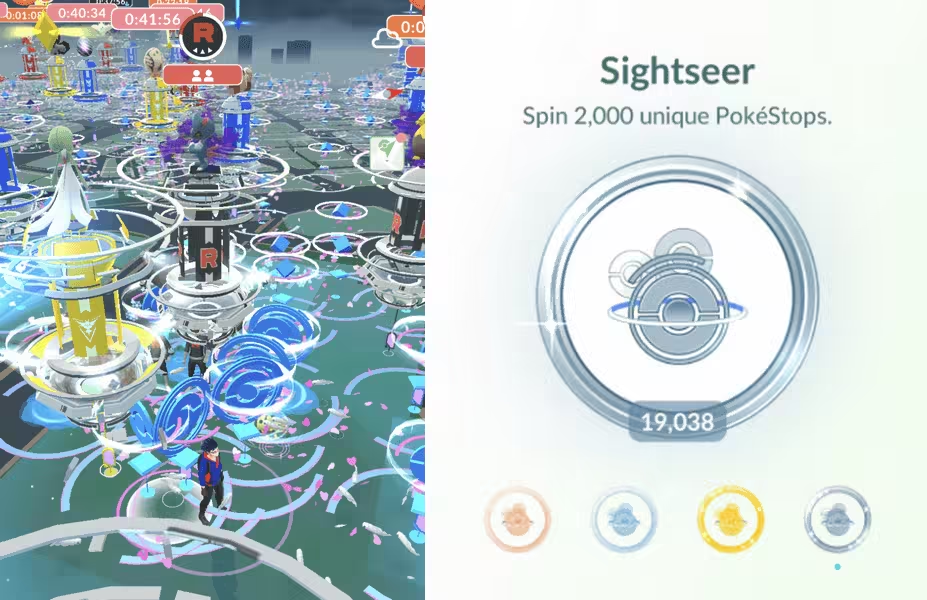
But if your goal is simply to spin some new PokéStops nearby to get the Sightseer Medal, then PokéStop maps can be a real lifesaver. These maps let you visualize local PokéStop locations in real time, helping you plan efficient walking paths, find dense clusters for dropping lures, or even encounter new spawns.
Best 6 Global Pokémon GO PokéStop Map
1 Official Pokémon GO Web Map
Pokémon GO now has an official web map. You can access it from in-game by tapping the "See More" button. It's a more direct way to check nearby in-game activity, covering worldwide PokéStops, raids (G-MAX & D-MAX coming soon), and gyms.
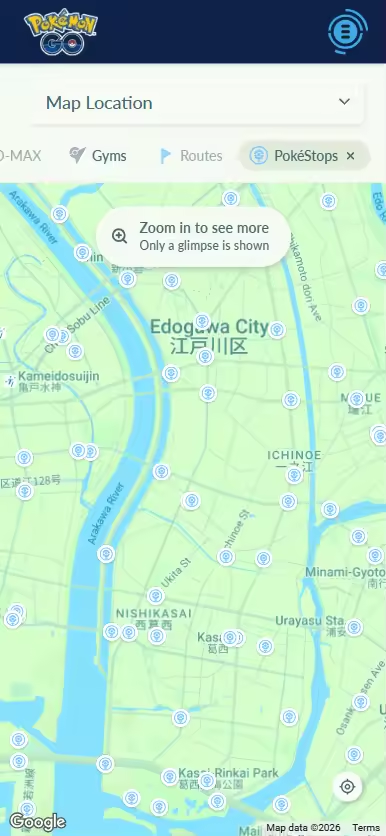
- Accuracy: It shows the most accurate location data for Raids and Power Spots for Max Battles.
- It allows you to share a location link to friends for meet-up.
- It's still a separate browser map from the Campfire app and the game.
- Server-side systems frequently crash during high-traffic events.
2 Campfire
Originally launched by Niantic as a companion app for coordinating Raid Battles, Campfire also doubles as a Pokémon GO Gym Map. Since Gyms are usually created from dense PokéStop areas, spotting a Gym cluster on Campfire typically means you'll find plenty of Stops nearby.
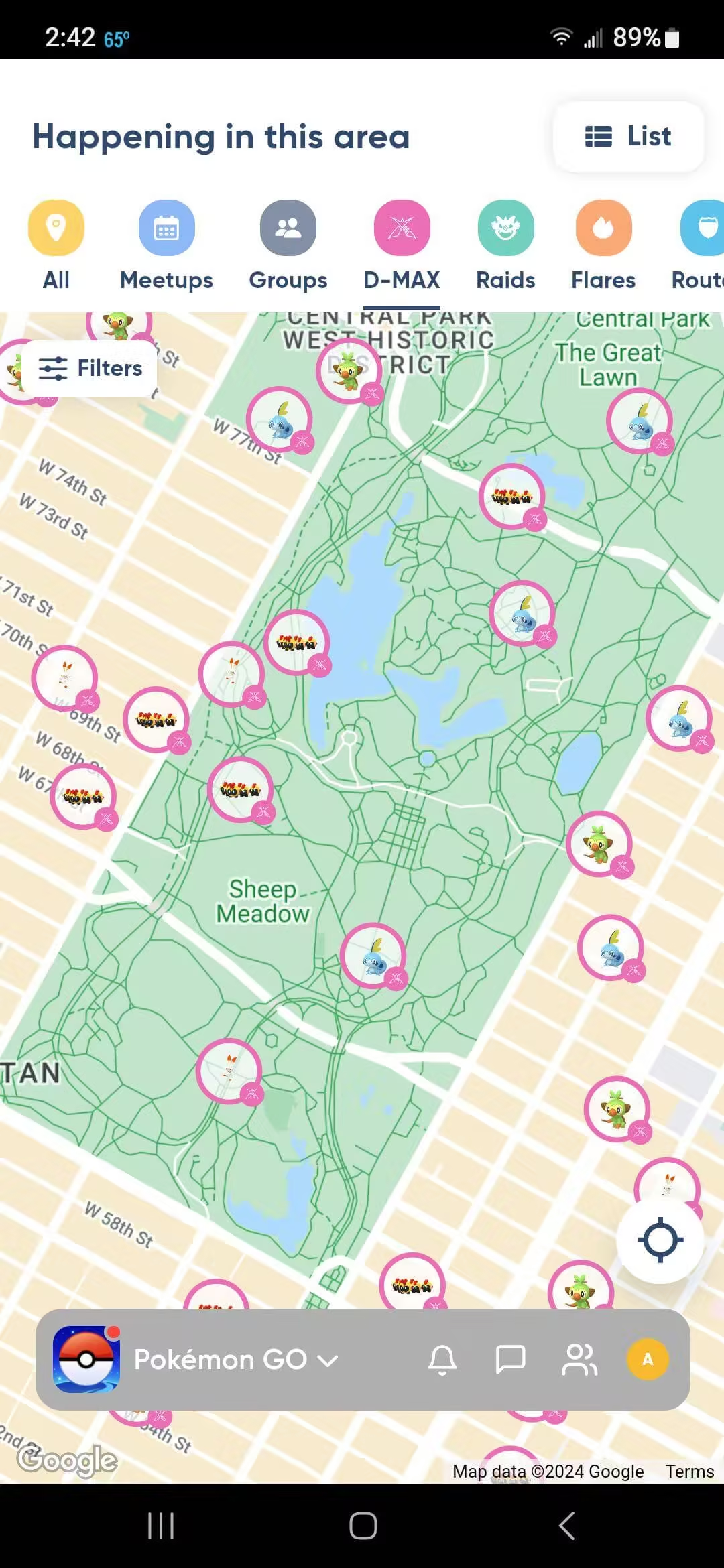
However, Campfire isn't a dedicated PokéStop map.
- Accuracy: Incomplete—many standalone PokéStops aren't shown, especially those not linked to Routes.
- No S2 Cell Overlay: Planning around Ingress mechanics is not possible here.
- Platform: Mobile-only app, not ideal for mass route planning or wide-area scouting.
Still, it's a solid option if you're on the go and looking for high-traffic PokéStop zones.
3 AnyTo Live PokéStops Map
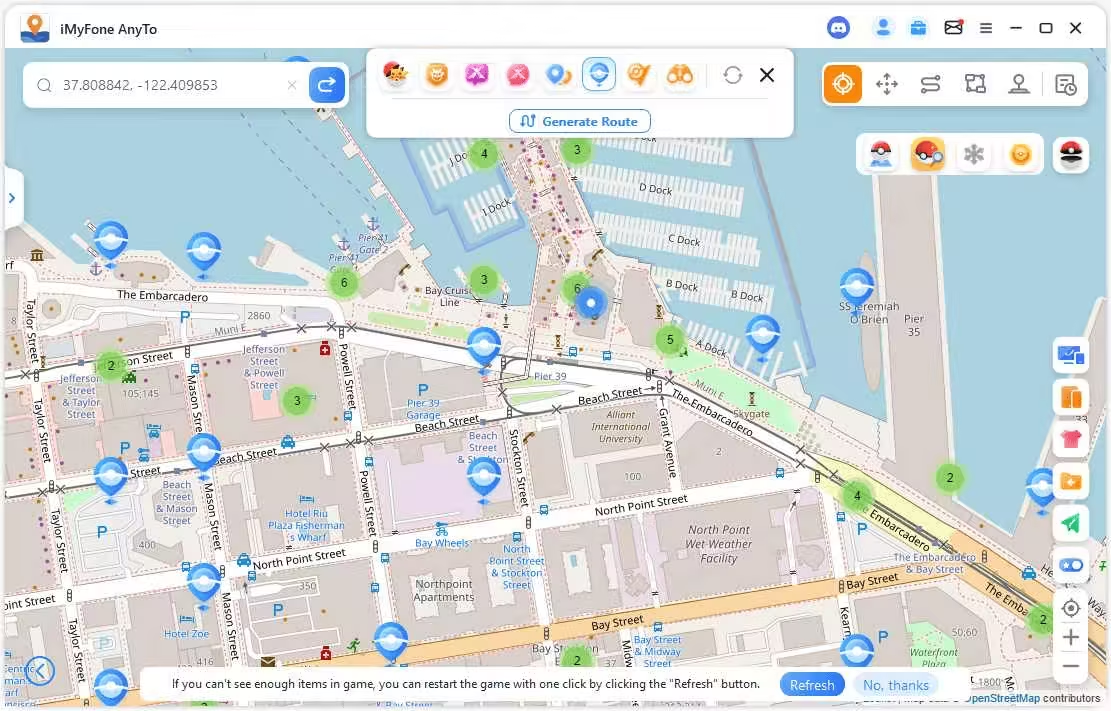
AnyTo's PokéStops Map is a real-time, global tracker designed specifically for Pokémon GO players.
It not only shows the location of PokéStops but also displays Gyms, wild Pokémon spawns, ongoing Raids, and even Routes in Pokémon GO.
If you want precision and full situational awareness before teleporting or walking somewhere, this is one of the most complete tools available.
- High accuracy—frequently updated with live in-game data.
- Global coverage with zoomable maps and search support.
- Integrated with auto route planning, auto walk, teleportation and cooldown calculators for those who want to access PokeStops far away without moving.
- Includes filters for Pokémon type, IV ranges, Raid levels, and PokéStop lures.
- Desktop & mobile supported via AnyTo's built-in tools.
4 PogoMap
PogoMap is a crowd-sourced Pokémon GO map tool that displays PokéStops, Daily Field Research tasks, and even ongoing Raid Battles sorted by level. One unique feature is the Nest Migration countdown, which lets players prepare ahead for spawn changes every two weeks.
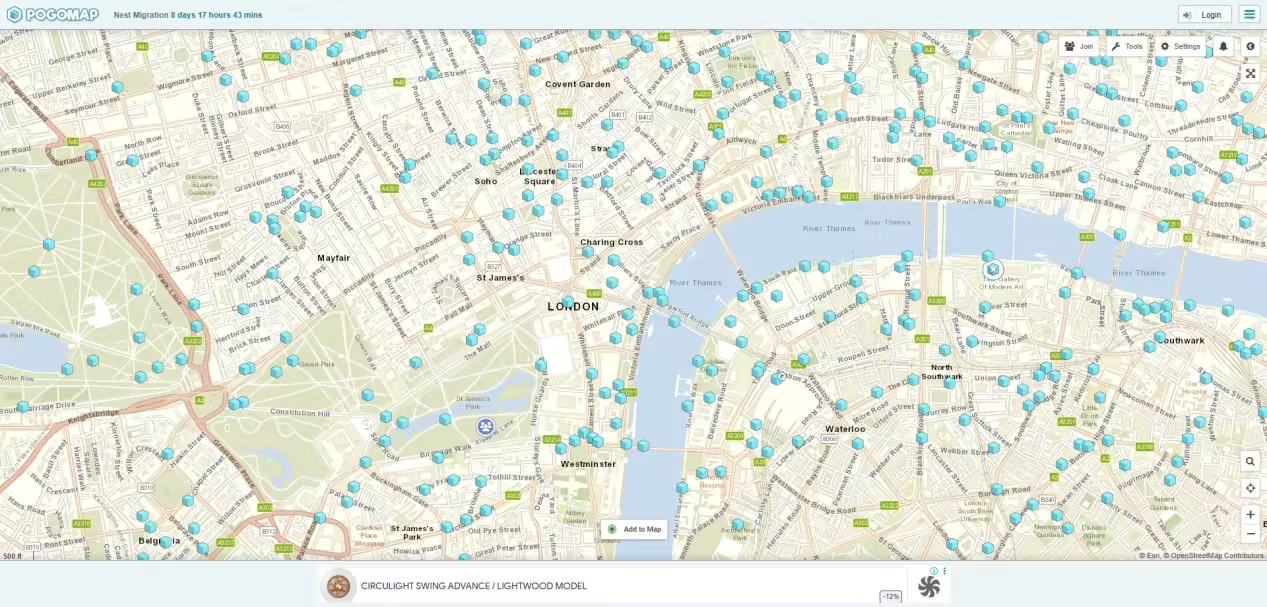
- Data accuracy depends on user submissions. To add a new PokéStop, you need the exact in-game coordinates (lat/long) and must manually submit it.
- The S2 cell borders shown on the map are not perfectly accurate, which can cause problems when trying to understand PokéStop placements for Routes.
- Requires some effort to contribute, but a helpful tool for active community mappers.
5 PokeMap
PokeMap is a real-time Pokémon GO map that displays PokéStops, and Pokémon spawns based on user reports. With a sleek interface and smooth performance, it has gained popularity among players looking for a quick and responsive map tool.
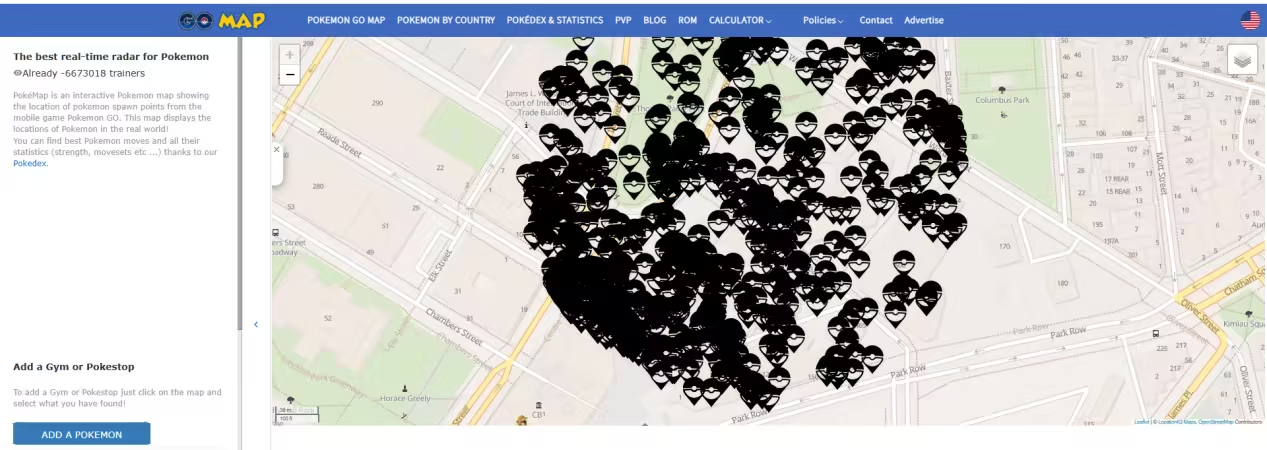
That said, PokeMap heavily relies on crowdsourcing. This means the data can be hit or miss depending on how active the player community is in your region. If you're in a bustling city, it's incredibly useful. But if you're somewhere quiet, the map might look a bit... empty.
- Relies heavily on community-submitted data, so accuracy can vary.
- Global coverage, but only as good as the local player activity. Great in major cities, inconsistent in rural areas.
- Browser-based. No need to download an app.
- Does not support S2 cells or route planning.
6 PoGo.tools
PoGo.tools is a fan-made toolset designed to help Pokémon GO players analyze their local PokéStop density using a layered map based on the Ingress Intel Map. It's particularly popular among advanced Trainers who want to understand spawn logic, cell distribution, and PokéStop eligibility.
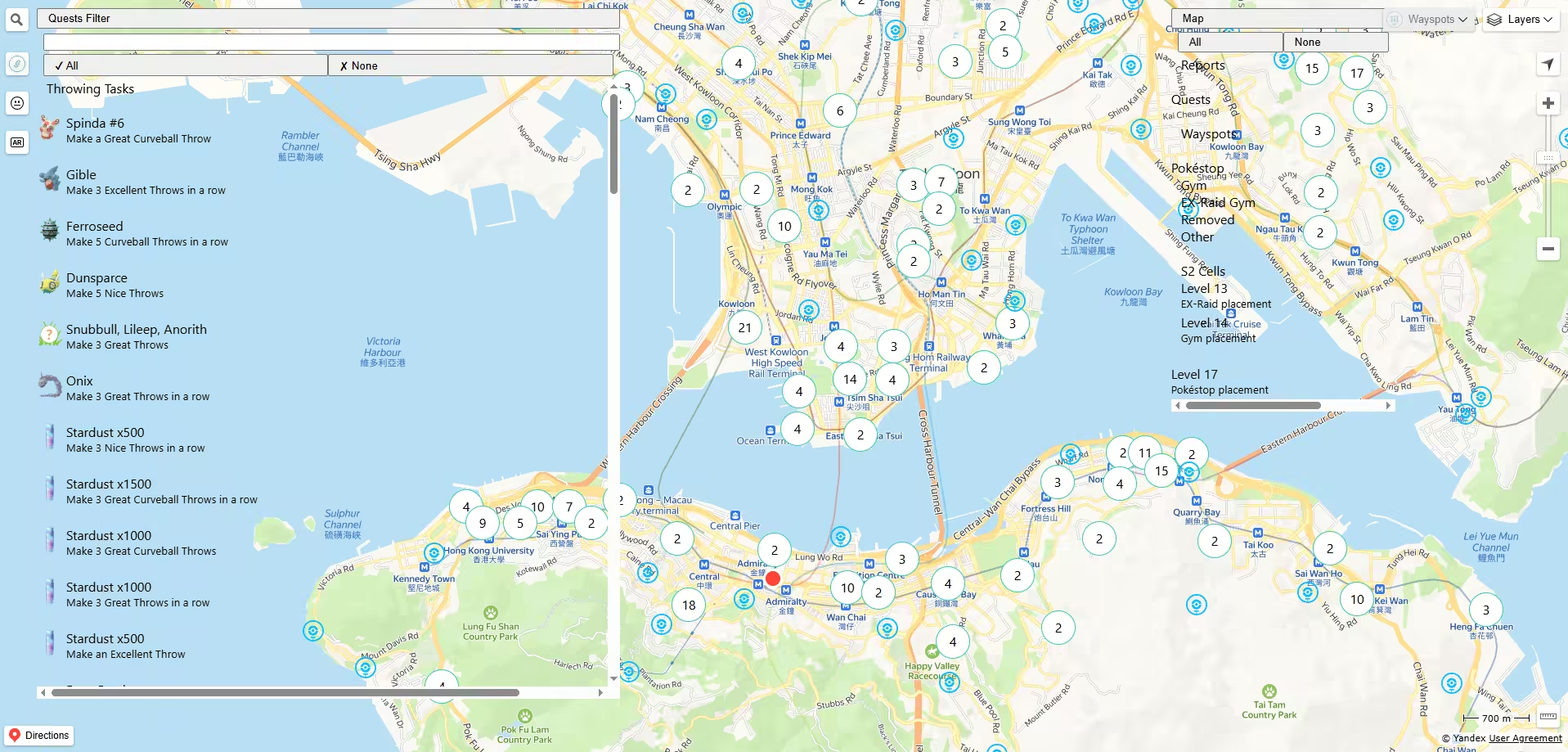
- Moderately accurate, but depends on data pulled from Ingress. Some points of interest may be outdated or missing due to changes in Niantic's Wayfarer system.
- Global coverage, but quality varies. Highly reliable in urban areas with active Ingress agents; less so in rural zones.
- Web-based, desktop-friendly. Not optimized for mobile browsing, especially when viewing S2 cells or multi-layer data.
- Shows portals from Ingress that could become PokéStops.
8 Regional Maps of PokéStops Pokémon GO
Unlike global maps, these 8 focus on specific cities, offering smaller coverage but way more accurate and detailed PokéStop data.
| Map Website | Coverage Area | Country/Region | Notes |
|---|---|---|---|
| londonpogomap.com | London | England | — |
| sgpokemap.com | Entire country | Singapore | — |
| nycpokemap.com | New York City only | USA | — |
| sydneypogomap.com | Sydney | Australia | — |
| vanpokemap.com | Vancouver city only | Canada | — |
| shadowmon.net | Adelaide | Australia | — |
| 9db.jp/pokemongo/map | Tokyo | Japan | *Non-English |
| twpkinfo.com/ipoke.aspx | Taipei | Taiwan | *Non-English |
How Can I Access PokéStops Far Away without Moving?
If you live in a rural area, you know the pain. A 15-minute drive just to reach the nearest PokéStop. Not exactly the most convenient way to gather Poké Balls or spin tasks.
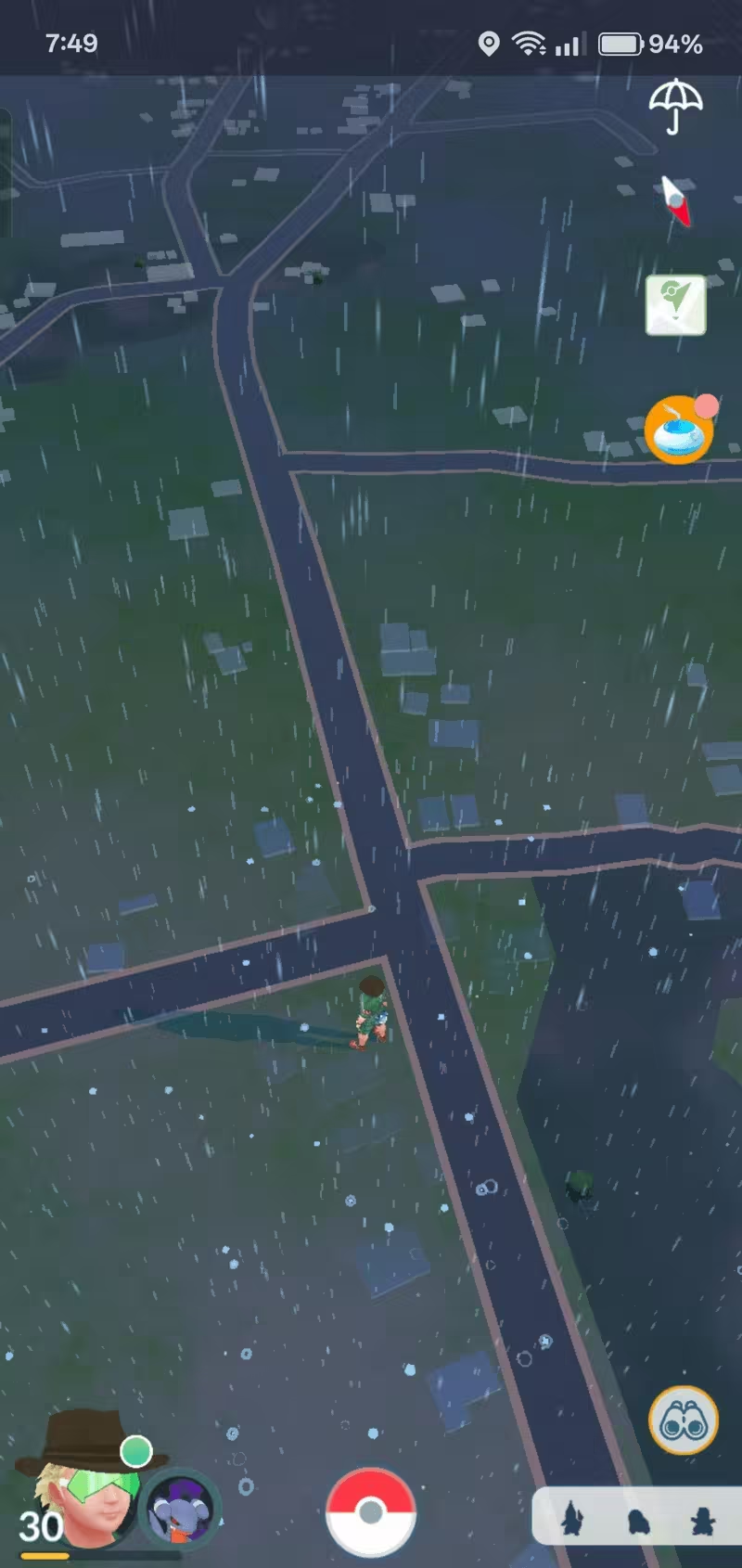
Fortunately, there's a way to access distant PokéStops without ever leaving your home.That's where AnyTo comes in. This location-changing tool lets you:


AnyTo's Key Features
- Teleport instantly to any location in the world — even if it's a PokéStop hotspot like NYC or Tokyo.
- Access its PoGO Atlas to discover high-density areas with stops, raids, and even rare wild Pokémon — all in one map.
- Auto-walk along a customized route so you can simulate walking between stops to hatch eggs and earn Buddy hearts.
- Plan multi-point routes to cover multiple PokéStops in one go.
- Use Virtual Go Plus, which enables automatic PokéStop spinning and catching — no tapping needed.
How to Teleport in Pokémon GO with AnyTo
Step 1. Download and install AnyTo. You can use the PC version to change your iOS/Android location through your computer, or go with the mobile app to spoof your location directly on your phone.
Step 2. Launch AnyTo, then tap on the Pokéball icon in the top-right to view PokéStops on the map.
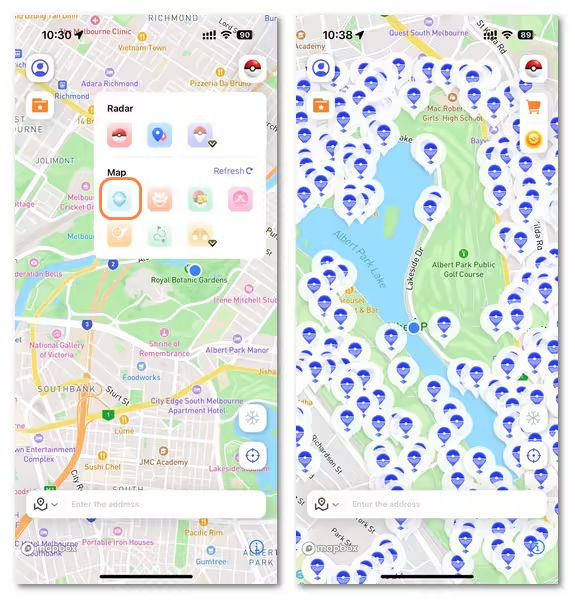
Step 3. Tap a PokéStop, select Teleport Mode, then hit Move, and your location updates instantly.
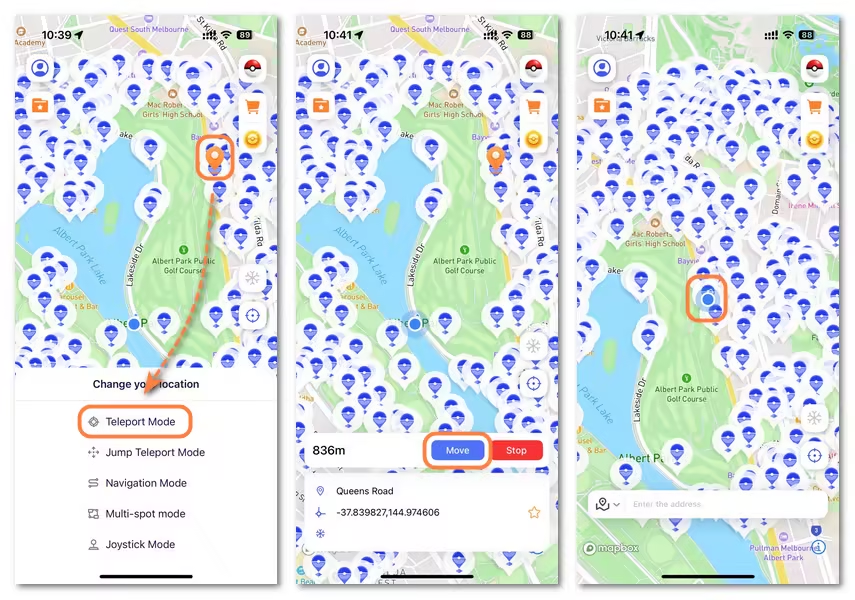
You can also change your phone's location via PC. For a more detailed handbook, see Users Guide of AnyTo PC Version.

 AnyTo Discord Server
How Can I Make A PokéStop?
You can actually submit your own PokéStop nomination in Pokémon GO. Here's a simplified step-by-step guide to help you do it:
1. Start Your Nomination
- Go to the object or location you want to nominate.
- Open Pokémon GO > Main Menu > Settings > Uploads.
- Tap New PokéStop to begin.

Note
Don't submit locations on private residential property. This applies specifically to single-family homes, even if it's your own.
2. Pin the Location
- Use the map to place the pin exactly where the object is located.
- Avoid placing it too close to existing PokéStops.
- Tap Confirm when the pin is accurate.
3. Take Photos
- Main photo: A clear, well-lit picture of the object or location.
- Context photo: Shows the surrounding area to prove accessibility and safety.
- Avoid blurry images or pictures with people, animals, or copyrighted content.
4. Add a Title and Description
- Title: Use the official name or a descriptive label.
- Description: Share something interesting—history, purpose, or fun facts.
Note
- Don't include links, usernames, or game-specific terms like "PokéStop" or "Raid."
- Don't say things like “our town needs more PokéStops.”Niantic already understands this—focus on what makes the location valuable. Highlight historical, cultural, or community significance.
5. Choose a Category
- Select the category that best fits the location (e.g., park, library, mural).
- If no match, choose "Other" and optionally suggest your own.
6. Final Review
- Check your nomination in the preview screen. If everything looks good, tap Confirm.
7. Justify the Nomination
- Briefly explain why this should be a PokéStop (e.g., promotes exploration, has historical value).
8. Submit for Review
- Tap Upload Now, or Upload Later if you're in a low-signal area.
9. Wait for Community Review
- Your nomination is sent to Niantic's Wayfarer community.
- Review time varies—can take weeks or even months.
- You'll get an email when your nomination is approved or rejected.
FAQs about Pokémon GO map with PokéStops
Can I make my house a PokéStop in Pokémon GO?
It's very unlikely to get approved. Niantic prefers public, safe, and permanent locations that are accessible to everyone. Private residential property is generally rejected during the review process.
Is there an app that shows you where PokéStops are?
Yes. Apps and tools like AnyTo PokéStop Map, PoGoMap, and Campfire let you view PokéStops, and raids worldwide. Some also show tasks, nests, and active lures.
How long does it take for a PokéStop to be approved?
It varies. Most nominations take weeks to a few months to be reviewed by the community. Sometimes, it depends on how active the reviewers are in your area.
How do I find PokéStops near me?
You can use the PokéStop map tool to preview the nearest stops or spot clusters around your location.
How do I visit more PokéStops without walking?
You can use a GPS spoofing tool like AnyTo to simulate walking, auto-navigate routes, or teleport to PokéStop-rich areas. Just make sure you follow cooldown rules to avoid soft bans.
Where do you get gold PokéStops?
Gold PokéStops typically appear during special events or when linked to Showcases and Routes. Interacting with them may offer bonus items, XP, or event-specific Pokémon.
Conclusion
Pokémon GO PokéStop maps are essentially helpful when you're hunting for high-density farming spots or planning lure parties with friends.
If there's no PokéStop nearby, don't worry. You can either submit your own PokéStop nomination, or take the easier route and use an auto-walker like AnyTo to virtually travel there without stepping outside.
Just remember, where there are PokéStops, there are always opportunities for rare spawns, XP, and items. So, grab a map, plan your route, and level up your Pokémon GO journey!


Ryan Miles is a seasoned gamer and mobile strategy writer with over 5 years of hands-on experience in Pokémon GO spoofing and GPS-based games. Known for breaking down complex location tricks into beginner-friendly guides, Ryan’s mission is simple: help you explore more, catch faster, and play smarter without ever leaving home.
-
Hyper Training Guide: Best Pokémon for Silver Bottle Caps in Pokémon GO
How does Silver Bottle Cap work in Pokémon GO? Which Pokémon should you use the Silver Bottle Cap on? Check out this ultimate Hyper Training guide!
17 mins read -
Paldean Tauros Forms in Pokémon GO: Tips to Get Aqua, Blaze & Combat Breeds
Want to get all Paldean Tauros forms fast in Pokémon GO? Discover where to find Aqua, Blaze, and Combat forms and the best raid strategies for 2026.
16 mins read -
Best Remote Shadow Raid Tips for Pokémon GO (2026)
Want to master Remote Shadow Raids in Pokémon GO 2026? Discover pro tips, best Pokémon picks, and smart ways to save your raid passes!
20 mins read -
Pokémon GO Forever Friends & Remote Trades: What You Need to Know
Find out how Forever Friends and Remote Trades work in Pokemon GO, how to become Forever Friends, and how this new feature affects everyone.
28 mins read -
How to Spoof Pokémon GO Fest 2026: Tokyo, Chicago & Copenhagen
Is GO Fest 2026 worth it for spoofers? Learn how to spoof safely, explore top coordinates, and get spoofing tips for Tokyo, Chicago, and Copenhagen!
22 mins read -
Is AnyTo Safe for Pokémon GO & GO Fest? Full Guide
Is AnyTo safe for Pokémon GO? Can you use it for GO Fest? This guide has the answers and tips on how to get the most out of the event.
8 mins read
Was this page helpful?
Thanks for your rating
Rated successfully!
You have already rated this article, please do not repeat scoring!