
 Top-Views
 New-Updates


PGSharp not working on iOS? AnyTo is a safer choice for teleporting, auto-walking, and catching high-IV Pokémon, thanks to its built-in cooldown calculator, Bluetooth connection, and strong anti-ban protection.
Over the past year, PGSharp's popularity has dropped sharply, especially among long-time spoofers. Worse, iOS users are still left without official support.
Reddit and Discord are flooded with stories of users receiving warnings, cooldown glitches, or even permanent bans after using it.
In this guide, we'll cover everything about PGSharp iOS, why it's risky, how to install it (if you really want to), and the best alternative for 2026.
Quick Navigation
- Does PGSharp Work on iOS? Here's What to Know
- How To Install PGSharp on iOS [2 Methods]
- Method 1. UGPhone (Browser) + PGSharp [75% Safe]
- Method 2. Download PGSharp via Third-party Apps[60% Safe]
- Is PGSharp Safe for iPhone Users?
- PGSharp Not on iOS? Try Alternative — AnyTo [99% Safe]

- FAQs About PGSharp for iPhone
- Conclusion
Does PGSharp Work on iOS? Here's What to Know
PGSharp is not officially compatible with iOS. It's an Android-only spoofing app, so iPhone users have to jailbreak or find alternatives.
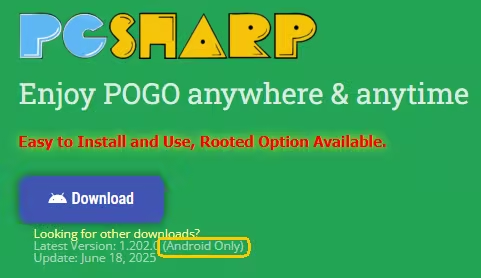
PGSharp is a Pokémon GO mod that adds powerful spoofing tools for Android users. Its key features include:
- Location spoofing
- Joystick controls
- Cooldown timers
- Auto-catch via virtual go plus
- Map teleportation
- Encounter IV preview
- Raid/sniping feeds
How To Install PGSharp on iOS [2 Methods]
Method 1 UGPhone (Browser) + PGSharp (75% Safe)
PGSharp isn't officially supported on iOS, but a cloud gaming workaround was shared in the #info channel on PGSharp's official Discord. Here's how the process works:
Step 1. Visit https://pokego.me/ on your iOS device and click on UGPhone.
Step 2. Sign up using your Google or Facebook account.
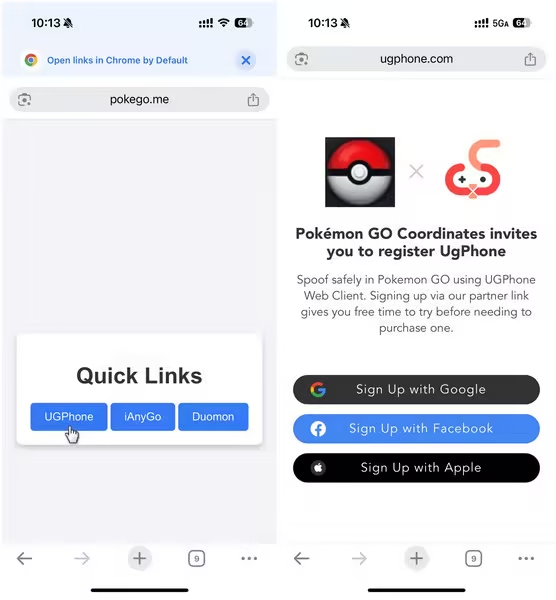
Step 3. On the next page, choose Open in a Webpage and use your partner link credits to claim a virtual device for 4 hours.
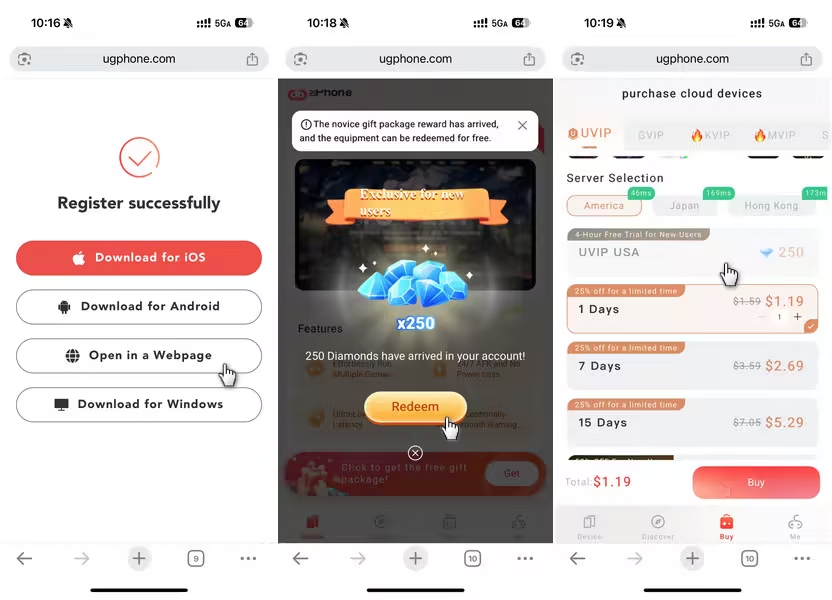
Step 4. On the cloud phone interface, open Chrome and download PGSharp.
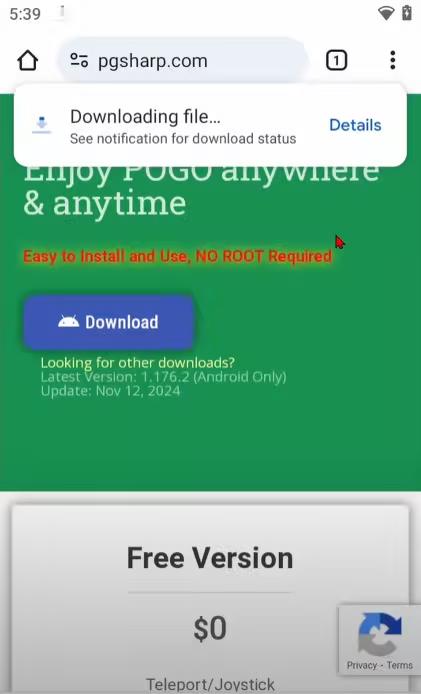
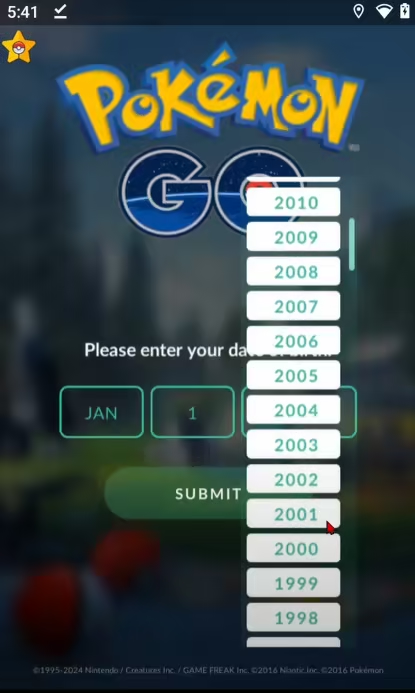
Step 5. Log in with your Pokémon GO account and start spoofing in the cloud-based Android system.

Note
This method is only about 75% safe, so proceed with caution. If you're looking for a safer and more stable alternative for iOS, AnyTo is a solid choice.

 AnyTo Discord Server
Method 2 Download PGSharp via Third-party Apps(60% Safe)
1 BuildStore
One popular way iOS users try to install PGSharp is through third-party app stores like BuildStore.
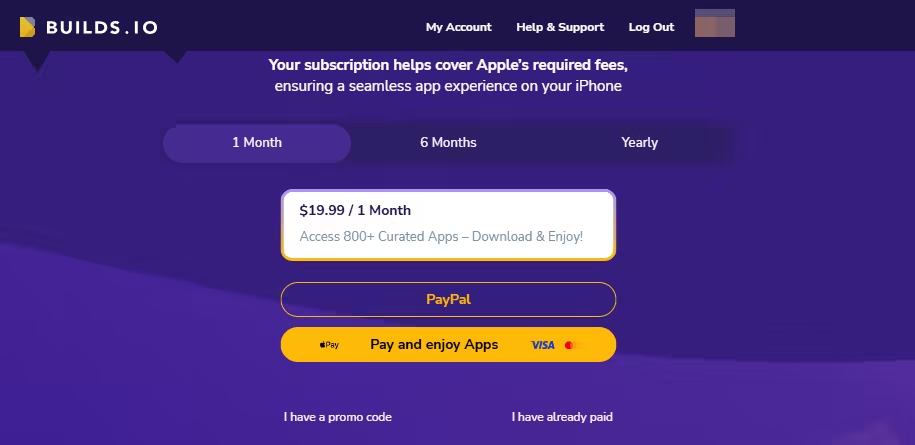
However, PGSharp is not officially listed on BuildStore at the time of writing. Even if it does appear, there's a catch: apps installed via these stores often get revoked by Apple, especially if they're modded like PGSharp.
2 MuMu Player
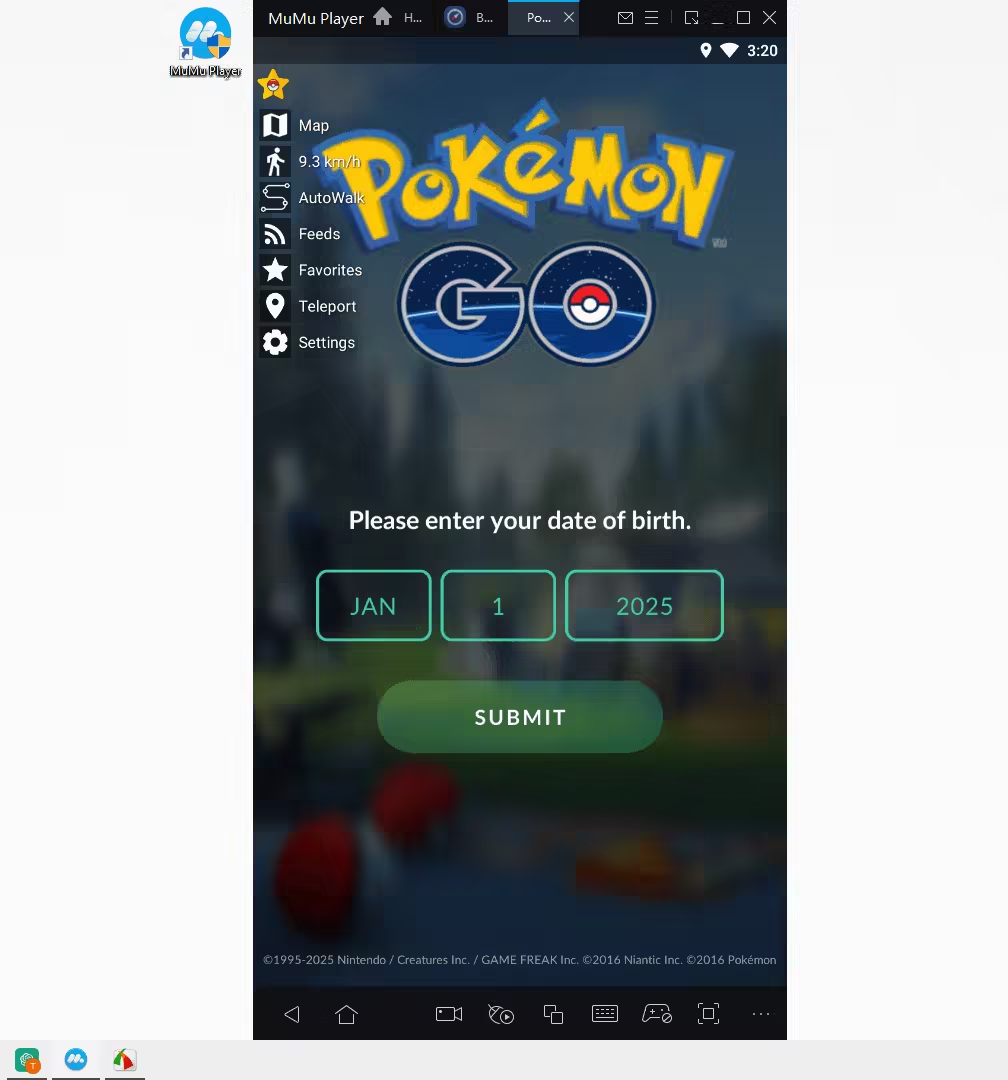
If BuildStore doesn't work, and you don't mind playing Pokémon GO on a computer, you can try MuMu Player.
MuMu Player is an Android emulator for PC and Mac that allows you to run mobile games and apps on computer. Here's a step-by-step guide to install PGSharp:
Step 1. Download MuMu 6 (64-bit version V2.7.23.0)
Step 2. In the emulator's browser, go to PGSharp official website. Click "Looking for other downloads" → "Download PGSharp for Android 6" → Install.
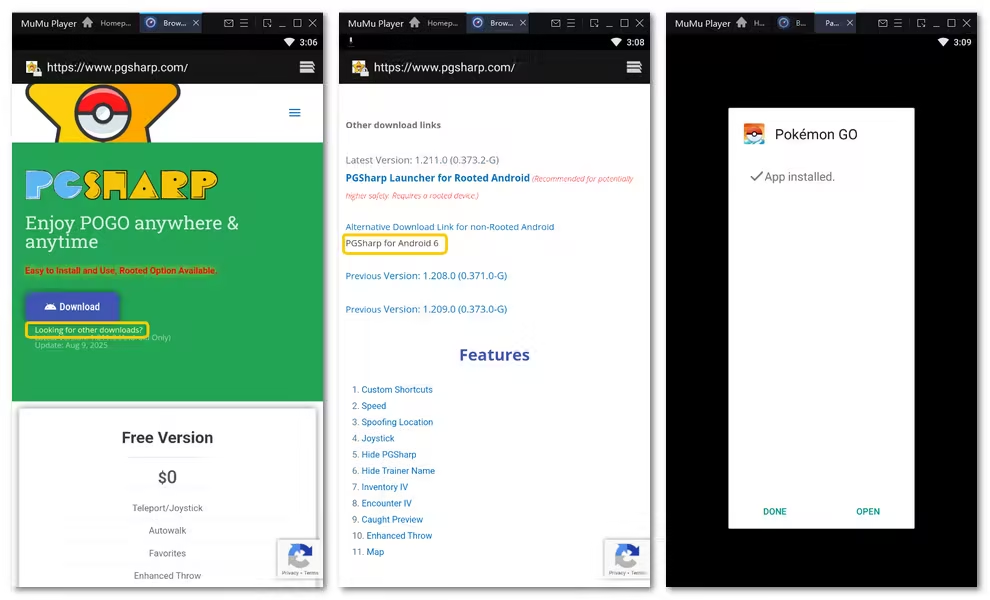
Step 3. Open the app and enjoy.
Note
The safety of this method hasn't been tested, so proceed at your own risk. It's best to use an alt account.
Is PGSharp Safe for iPhone Users?
TL;DR:
PGSharp is not safe for iPhone, and even on Android, it's not foolproof. Stick to one app, spoof with care, and don't use your main account if you want to avoid risk.
PGSharp isn't designed for iOS devices, and any method used to force it onto iPhones (like cloud emulation or third-party stores) carries extra risk. But beyond compatibility, the biggest concern is safety—and players on Reddit have made that clear.
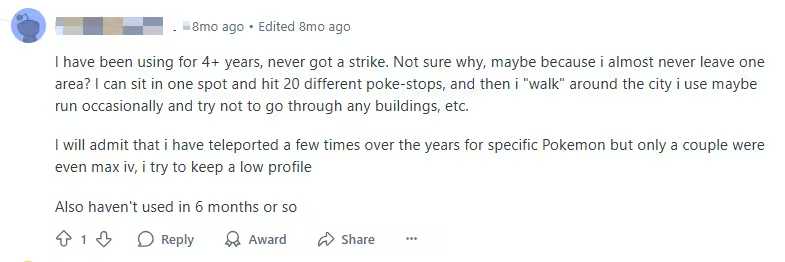
Some users said using it successfully for years without getting banned—as long as they follow cooldown rules and spoof responsibly.
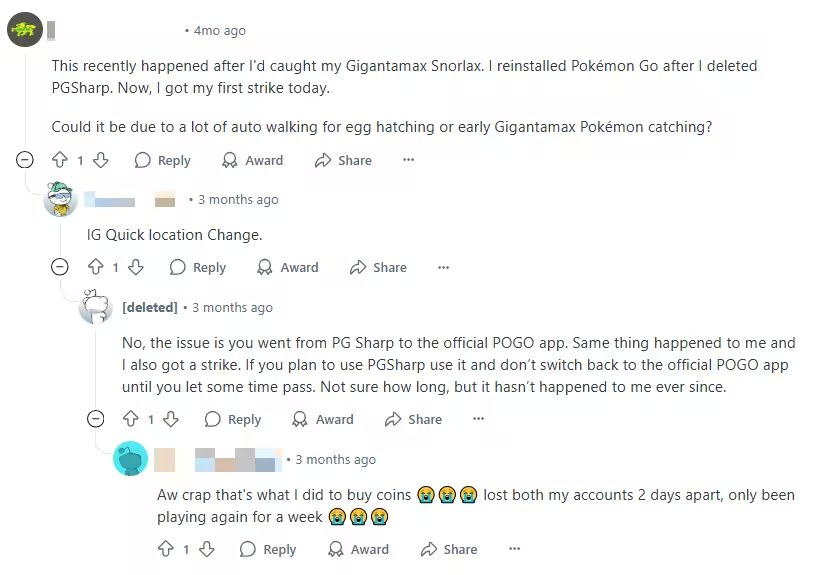
However, many have also shared strike stories after switching between PGSharp and the official Pokémon GO app too quickly. This sudden transition seems to trigger Niantic's anti-cheat system.
PGSharp Not on iOS? Try Alternative — AnyTo (99% Safe)
If you're on iOS and disappointed that PGSharp isn't available for your device, you're not alone. Fortunately, there's a safer and more stable alternative: AnyTo Pokémon GO spoofer.
Unlike PGSharp, AnyTo works on the iOS 26 and Android 16, and the best part is it doesn't require jailbreaking or rooting your device to stay safe. It's not a modded app, and it connects to your computer via Bluetooth, making it much harder for Niantic to detect.
Backed by a professional team made up of Pokémon GO fans, AnyTo always keeps pace with every major update to ensure compatibility and performance.
AnyTo's New Features
AnyTo's New Feature #1: PoKo Assistant lets you auto-raid, auto-join Rocket Battles, and modify every throw.

AnyTo's New Feature #2: AnyTo Plus is the newest upgrade in iMyFone’s AnyTo lineup for iPhone users. It works through Bluetooth pairing between an Android phone and your iPhone, letting you change your iPhone’s location directly without using a PC.


AnyTo's Key Features
- Updates regularly to stay compatible with the latest Pokémon GO and iOS versions (including iOS 18 and 26)
- Smooth joystick controls to walk, stop, turn with precision—just like you're actually walking.
- Teleport instantly anywhere for regional Pokémon or global raids with one click.
- Auto cooldown timer to stay within safe limits and avoid soft bans effortlessly.
- PokéStop map, IV checker, and real-time feeds for nearby Pokémon, Gyms, and Raids—all designed to take your in-game experience to the next level.
How to Spoof in Pokémon GO with AnyTo
Watch Video Guide

Step 1. Install AnyTo on your phone and follow the instructions to setup.
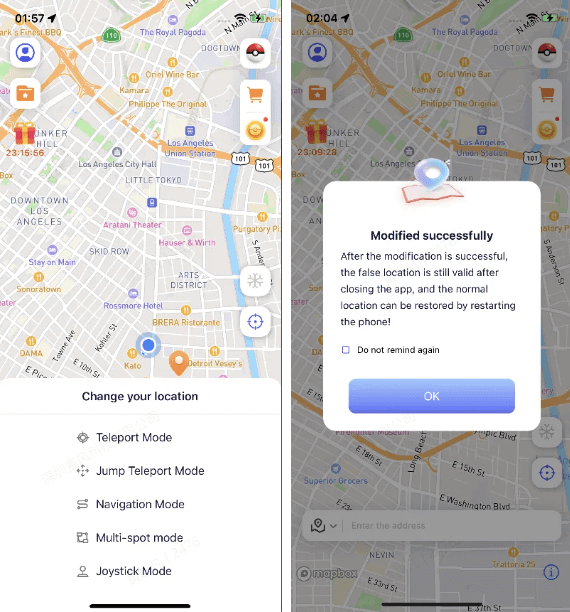
Step 2. Paste the coordinate or type in a location, choose a mode, and your location is changed immediately.
You may also like:
Step 3. Use the PoGo Search feature in the upper-right toolbar to find PokéStops or specific Pokémon nearby.
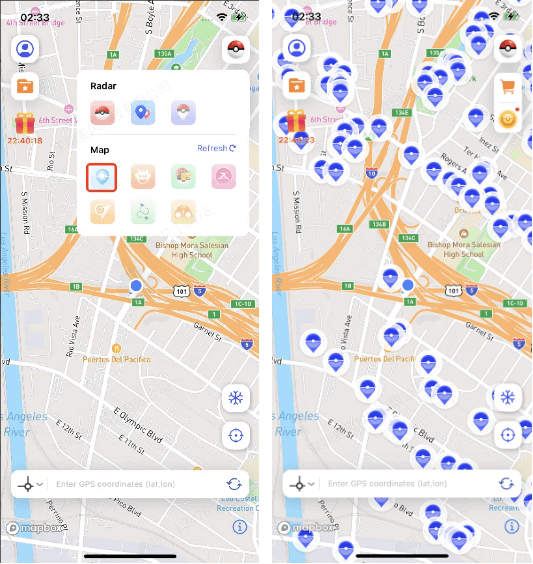
You can also control your in-game body from a PC via Bluetooth connection, which is considered the safest way to spoof Pokémon GO. For a more detailed handbook, see Users Guide of AnyTo PC Version. Here's a brief guide:
1-Click Change GPS Location with AnyTo!
Choose your platform and install (iOS, Android, PC).
Select a location mocking mode.
Spoof anywhere you like!


FAQs About PGSharp for iPhone
1. Is PGSharp for iOS safe?
No, PGSharp is not 100% safe to use on iOS.
It is not officially available for iOS, and any method to use it involves unofficial workarounds like virtual devices or third-party stores.
These methods come with risks—your account could get flagged by Niantic, or your device could face malware threats. For iPhone users, using a trusted tool like AnyTo is much safer.
2. Is PGSharp down?
PGSharp occasionally experiences outages due to Pokémon GO updates or server maintenance.
If it's not working, check the official Telegram or Discord channels for updates. Also, confirm that you're using the latest version.
3. Can Niantic detect PGSharp?
Yes, PGSharp is a modified version of Pokémon GO, which Niantic actively monitors.
While some users spoof for months without a ban, others receive warnings or strikes quickly. The risk increases if you switch between the mod and the official app too frequently without proper cooldown.
4. Can you use Adventure Sync with PGSharp iOS?
No. PGSharp isn't natively available for iOS, so Adventure Sync won't work even if you manage to spoof through virtual environments. Adventure Sync only works with official installations of Pokémon GO and legitimate step tracking services.
Conclusion
PGSharp iOS may sound like a dream come true for Pokémon GO players, but the reality is a bit more complicated.
As of 2026, it is not officially available for iOS, and using workarounds like third-party stores or virtual environments poses serious risks—from app instability to account bans.
If you're seeking a safer, smoother spoofing experience on your iPhone, it's best to skip PGSharp iOS and go for a trusted alternative like AnyTo, which offers GPS spoofing without modding your game or compromising your device.


Ryan Miles is a seasoned gamer and mobile strategy writer with over 5 years of hands-on experience in Pokémon GO spoofing and GPS-based games. Known for breaking down complex location tricks into beginner-friendly guides, Ryan’s mission is simple: help you explore more, catch faster, and play smarter without ever leaving home.
-
SpooferX Pokémon GO: Latest Review and Download Guide
Is SpooferX safe to use for Pokémon GO? Learn what SpooferX is, read honest reviews, and find the best safe alternative to try.
5 mins read -
Pokémon GO Nest Map 2026: Find Pokémon GO Nests Near Me
Discover the best Pokémon GO Nest Maps in 2026 to find and catch rare Pokémon fast. Learn how to locate nests and explore them remotely with AnyTo!
4 mins read -
4 Best Pokémon GO IV Checkers in 2026 (Free & Accurate)
What is Pokémon GO IV checker? How are Pokémon GO IV calculated? Check out the top 4 free and accurate Pokémon GO IV checkers in 2026 now!
20 mins read -
Pokémon GO Jailbreak Guide: How to Jailbreak for Pokémon GO
Learn how to jailbreak Pokémon GO on iPhone, what Pokémon GO jailbreak tweaks to use, what you should know before jailbrekaing, and how to spoof without jailbreak.
40 mins read -
PoGo Wizard Review: Safety, Download Guide, and Alternative
Find out all about Pogo Wizard. Learn how Pogo Wizard works, check its safety, follow the download guide, and find the best PoGo Wizard alternative!
40 mins read -
11 Best Pokemon GO Spoofers for iOS & Android [2026 Free]
Learn the best Pokémon Go spoofers for iOS and Android in 2026. Try the best Pokemon GO spoofing app iMyFone AnyTo for free! No jailbreak, root or computer needed.
85 mins read
Was this page helpful?
Thanks for your rating
Rated successfully!
You have already rated this article, please do not repeat scoring!