
 Catch Pokémon
 Top-Views
 New-Updates


Already play beside your computer? AnyTo brings coordinate search, joystick movement, and route planning to your desktop. Try its location controls before choosing a dedicated GPS accessory for your grind.
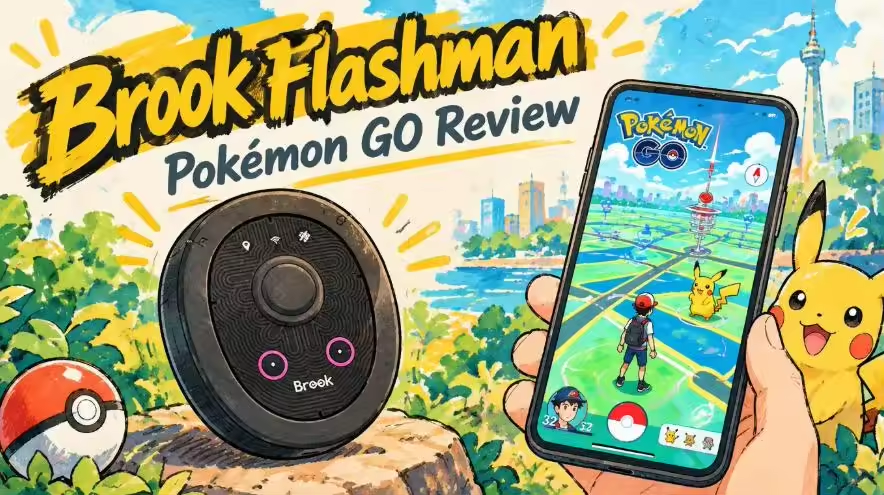
A thumbstick for your daily grind sounds tempting. Nudge toward the next spawn, loop back through your PokéStops, and keep the map moving while your other hand handles catches. That’s the appeal of Brook Flashman for Pokémon GO. The buying decision gets more interesting once you add companion apps, connection settings, and optional subscriptions. Before spending money on another accessory, here’s what that physical joystick brings to your sessions—and where the setup can get in the way.
Key Takeaways
- What is Flashman? A physical Bluetooth GPS joystick for iPhone, with saved locations and movement modes.
- Who is it for? Players who want handheld movement controls and are comfortable configuring companion apps.
- What does it cost? The Exclusive Version is US$80; ARFlash offers optional advanced features at US$0.99/month or US$9.99/year.
- What should you check first? Flashman requires iOS 17 or later. Use Brook’s connection guide for your installed iOS version.
Quick Navigation
What Does Brook Flashman Actually Do in Pokémon GO?
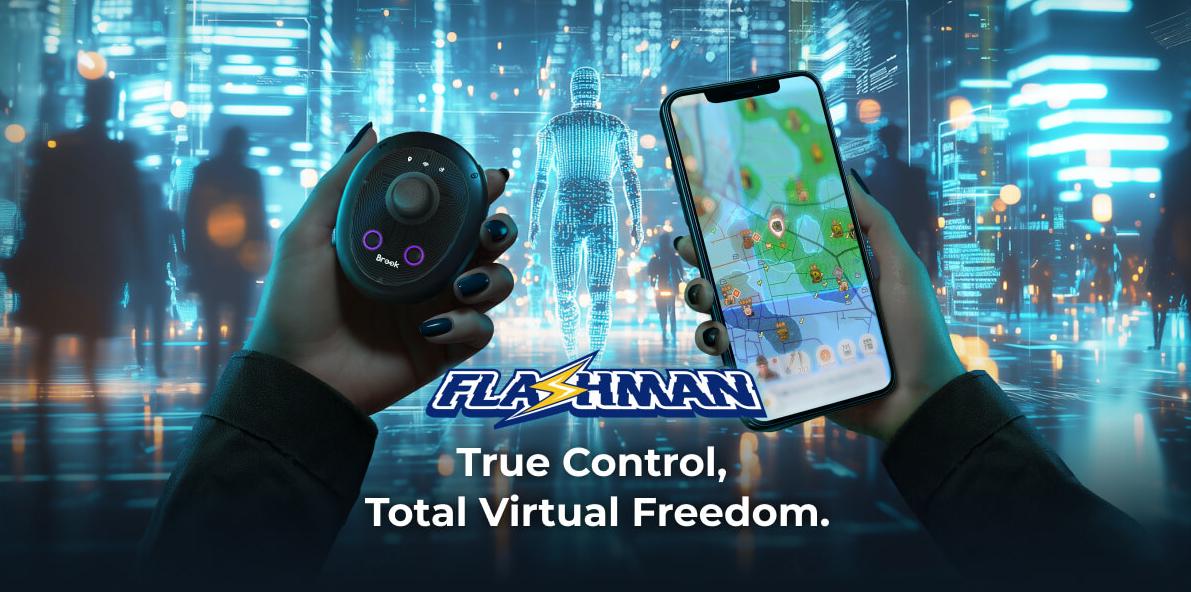
Brook Flashman is a Bluetooth GPS joystick for iPhone. Its physical stick controls movement, while the companion software handles the map and settings. You can save locations, return to a saved spot, and use planned movement instead of steering every stretch yourself.
For a Pokémon GO player, the draw is familiar: work through a spawn cluster, move around a gym, or revisit the same PokéStop loop.
The purchase makes the most sense when you specifically want a stick under your thumb. Players who mainly paste coordinates should weigh how often they would use that extra control.
| Part of the setup | What it does |
|---|---|
| Flashman hardware | Physical joystick, movement controls, and saved-location shortcuts |
| Brook ARFlash | Companion app for pairing, settings, and updates |
| BrookFirewall | Additional location configuration, including Brook’s longer-distance workflow |
| Brook Flashman app | A separate App Store listing |
Flashman’s hardware specification starts at iOS 17. ARFlash itself installs on iOS 16.2 or later, so use the hardware requirement when deciding whether your iPhone fits. Brook also provides separate connection instructions for newer iOS versions.
Brook Flashman Review: Controls, Setup, and Owner Feedback
1 Physical Controls for Your Daily Grind
The stick is Flashman’s main selling point.
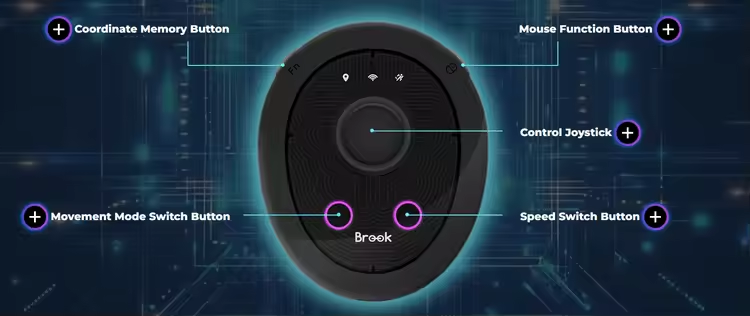
Manual movement gives you directional control around the spot you’ve selected; location memory lets you return to a saved destination. Smart Roaming and Route Cruise cover automatic movement and a chosen path.
Think about your usual grind before buying. If you enjoy controlling every turn, the hardware has a clear job. If you mostly jump to one location and stay there for raids, the stick may see less use. Coordinate entry alone gives you less reason to add a dedicated accessory.

Note
Also shopping for a physical controller? Our iTools BT Joystick review covers another option to put on your shortlist. Compare the exact hardware version and setup requirements before choosing by price.
2 The Apps and Connection Work You’re Buying Into
Budget some attention for the software side. Brook’s current setup uses companion apps.
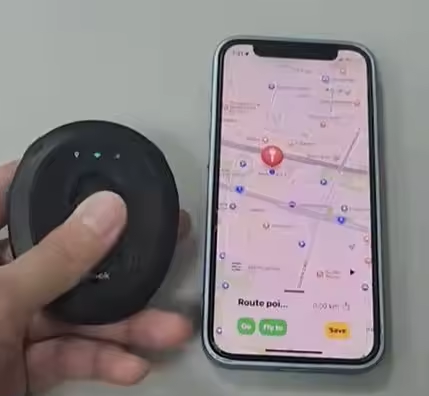
Distance matters here. Brook describes a base teleport range of about 17 km and directs longer-distance moves through BrookFirewall. If your plan is to visit a different city for an event, that additional workflow belongs in your purchase decision from the start.
Setup is the demanding part: pairing the hardware, configuring the companion apps, and learning the connection routine. Once that routine is familiar, day-to-day use becomes more manageable.
3 What Owners Say About Rubberbanding and Stopped Movement
Some owners find Flashman useful once it’s dialed in, but setup effort and inconsistent movement remain the main frustrations.
Pros

- Useful once dialed in. A working configuration can turn trial and error into a repeatable daily routine.
- Location changes get the job done. Successful setups let you move your in-game location and use the joystick during a session.
- Long sessions are possible. It's been tested that you can use it for a full day over Wi-Fi, alongside less consistent sessions.
Cons

- Setup takes patience. Companion apps, Bluetooth pairing, and phone settings can take several attempts to get right.
- Movement can freeze after teleporting. The joystick may stop responding and interrupt a grind.
- Session stability varies. A setup that works well one day can need troubleshooting the next.
- Other location apps are affected. Changing the phone’s location can also change what Find My and similar services show.
 AnyTo Pokémon GO Spoofer
Tired of frozen movement and repeated setup? AnyTo makes changing your GPS location simpler with smoother control and spend less time troubleshooting during play.
How Much Does Brook Flashman Cost?
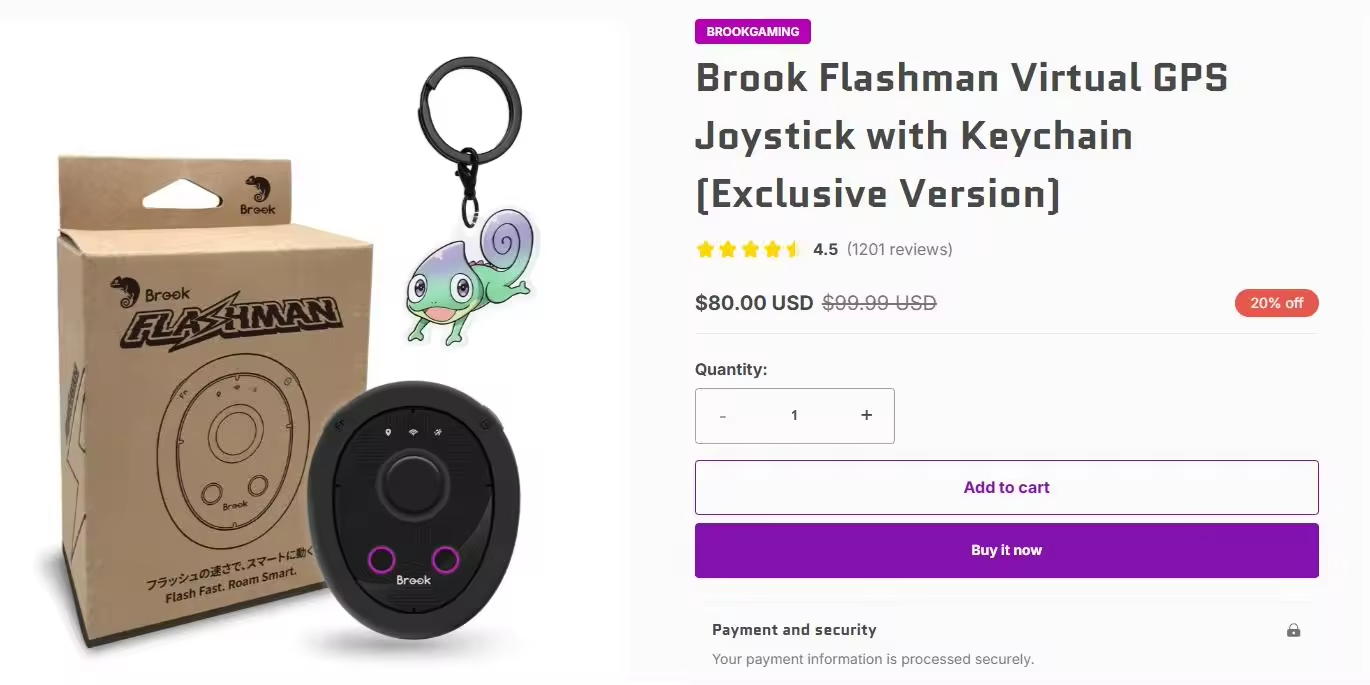
The Flashman Exclusive Version costs US$80 at Brook’s store, down from a listed US$99.99. ARFlash is free to download, with optional advanced-feature purchases priced separately.
| Purchase | US price | What to budget for |
|---|---|---|
| Flashman Exclusive Version | US$80 | Hardware purchase; shipping and tax depend on checkout |
| ARFlash advanced features | US$0.99/month or US$9.99/year | Optional in-app plan |
The auto-catcher is a paid feature, with a separate setup for automatic reconnection. If catching and spinning are your main priorities, factor the subscription and reconnect configuration into the total purchase.
Note
For background catching and spinning, compare the full setup with the options in our Pokémon GO auto-catcher guide.
Should You Buy Brook Flashman or Try AnyTo?
Choose Flashman for the physical joystick. That is the clearest reason to pay for the hardware.
Choose AnyTo for coordinate search, route control, and Pokémon GO map tools. AnyTo Pokémon GO spoofer offers mobile apps for iOS and Android alongside a computer-assisted option. Jump to a chosen spot, steer through nearby spawns, or connect your regular PokéStops into a route.
| Buying priority | Brook Flashman | AnyTo |
|---|---|---|
| Starting price | US$80 for the Exclusive Version | US$14.99 for VIP; US$19.99 for SVIP |
| How you control movement | Physical Bluetooth joystick | Mobile or computer-based map and movement controls |
| Device setup | iPhone plus Flashman and companion apps | iOS or Android app; computer-assisted options also available |
| Official iOS game client | Hardware location-control workflow | Supported through Bluetooth game mode |
| Routes and destinations | Saved locations and Route Cruise | Coordinate search, saved locations and Multi-spot Mode |
| Cost structure | Hardware plus optional app subscription | Software plan |


AnyTo's Key Features
- Run your hunt from your phone. Use AnyTo’s iOS or Android app to choose destinations and manage movement from a mobile map.
- Keep your next move in view. Track waiting time after location changes with the built-in cooldown timer.
- Go straight to your chosen spot. Enter coordinates for a spawn cluster or raid location instead of dragging across the map.
- Steer through the nearby spawns. Use Pokemon GO joystick controls and adjust movement speed as you explore your selected area.
- Build your regular PokéStop loop. Connect selected points in Multi-spot Mode and set up the movement route on screen.
- Scout your next destination. Use supported Pokémon and raid map information to decide where to head next.
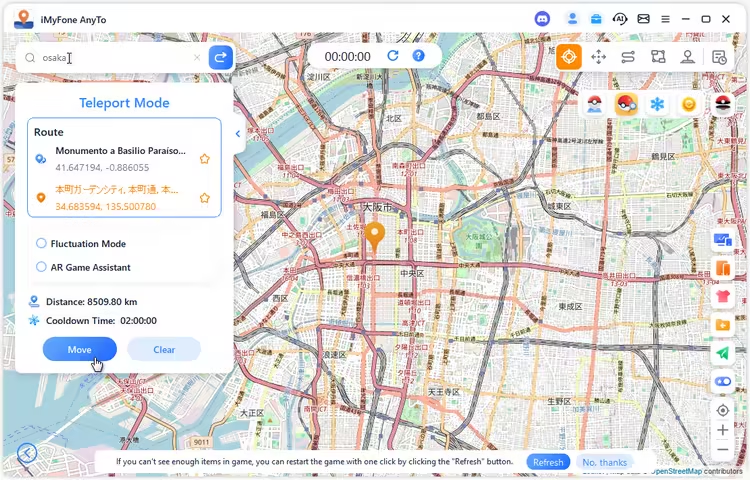
Choose the mobile app or computer-assisted setup in the AnyTo setup guide, then compare the current trial and paid plans. Here’s the computer-assisted Bluetooth option for playing with the official Pokémon GO app on iOS:
Step 1. Install AnyTo on your computer and connect your phone using the guide for your device.
Step 2. Select Bluetooth in Special Game Mode and complete the prompted configuration.

Step 3. Enter a destination, check the map, then choose joystick movement or a planned route.
Brook Flashman FAQ
1 Does Brook Flashman work with Android?
No. Brook specifies Flashman for iPhone with iOS 17 or later. AnyTo offers Android workflows alongside its iOS options.
2 Does Brook Flashman work on iOS 27?
Yes, Brook provides an iOS 27 connection guide. But it is recommended to turn on Airplane Mode before updating the location on iOS 27 and later.
3 Does Flashman include an auto-catcher?
Yes, through a paid subscription. Flashman supports an auto-catcher function that you activate separately from the hardware purchase.
4 Can you get banned using Brook Flashman?
Yes. Pokémon GO’s gameplay fairness policy classifies GPS location falsification as cheating, with account penalties possible. That applies to location spoofing through hardware as well as software.
5 Brook Flashman vs ARmate: which should you choose?
Flashman centers on a physical GPS joystick. Brook positions ARmate around auto-catching, PokéStop spinning, and virtual movement. Start with Flashman if hands-on steering is your priority; investigate ARmate’s specific model and feature package if catching and spinning are the main jobs you want automated.
Conclusion
The Brook Flashman Pokémon GO buying decision comes down to how much you want physical movement controls. The joystick, saved locations, and route options give it a clear role for iPhone players who are comfortable configuring companion apps. Count the hardware price and any optional subscription together. If you already have a computer and prefer working from a larger map, try AnyTo’s desktop controls before adding another device. Choose the setup that matches how you actually spend your catching and raiding time.
AnyTo
EXCLUSIVE 15% OFF
Ready for Your Next Pokémon GO Adventure? Save 15%


Ryan Miles is a seasoned gamer and mobile strategy writer with over 5 years of hands-on experience in Pokémon GO spoofing and GPS-based games. Known for breaking down complex location tricks into beginner-friendly guides, Ryan’s mission is simple: help you explore more, catch faster, and play smarter without ever leaving home.
-
Pokémon GO Wild Area Coordinates 2026: Global Meetups
Find Pokémon GO Wild Area coordinates for official Global community meetups, local event times and check-in rewards, plus Sendai and Mexico City rally stops.
24 mins read -
Silver Bottle Cap Pokémon GO: How to Get & Use It (2026)
Get a Silver Bottle Cap in Pokémon GO through GO Pass Deluxe: Into the Wild 2026. Check expiry dates, Hyper Training rules and which Pokémon to use it on.
17 mins read -
Paldean Tauros Pokémon GO: All 3 Breeds & Where to Find Them
Find Aqua, Blaze, and Combat Breed Paldean Tauros in Pokémon GO. Check each form's region, typing, raid weaknesses, and how to collect all three.
16 mins read -
Best Remote Shadow Raid Tips for Pokémon GO (2026)
Want to master Remote Shadow Raids in Pokémon GO 2026? Discover pro tips, best Pokémon picks, and smart ways to save your raid passes!
20 mins read -
Pokémon GO Forever Friends & Remote Trades: What You Need to Know
Find out how Forever Friends and Remote Trades work in Pokemon GO, how to become Forever Friends, and how this new feature affects everyone.
28 mins read -
How to Spoof Pokémon GO Fest 2026: Tokyo, Chicago & Copenhagen
Is GO Fest 2026 worth it for spoofers? Learn how to spoof safely, explore top coordinates, and get spoofing tips for Tokyo, Chicago, and Copenhagen!
9 mins read
Was this page helpful?
Thanks for your rating
Rated successfully!
You have already rated this article, please do not repeat scoring!