
 Top-Views
 New-Updates


Tethering with 3uTools no longer works for spoofing in Pokémon GO. Instead, try AnyTo, which uses Bluetooth—the safest method available today.
3uTools is an all-in-one tool for managing iOS devices. While it's primarily used for flashing, jailbreaking, and file management, many players have also turned to 3uTools Pokémon GO spoofing as a simple way to fake the GPS location in the game.
But how well does it actually work for Pokémon GO in 2026? In this guide, we'll explore its functionality, limitations, and better alternatives for spoofing today.

Quick Navigation

How to Use 3uTools for Pokémon GO
1 3utools Virtual Location for Pokémon GO Spoofing
3uTools Virtual Location helps modify your phone's GPS location globally. It lets you choose your preferred map source—OpenStreetMap or Google Maps.
Here's a step-by-step guide on how to use it:
Step 1. Download and install the latest version of 3uTools from the official website.
Step 2. Connect your iPhone to your computer via USB and open 3uTools.
Step 3. Go to the “Toolbox” tab, then click on “Virtual Location.”
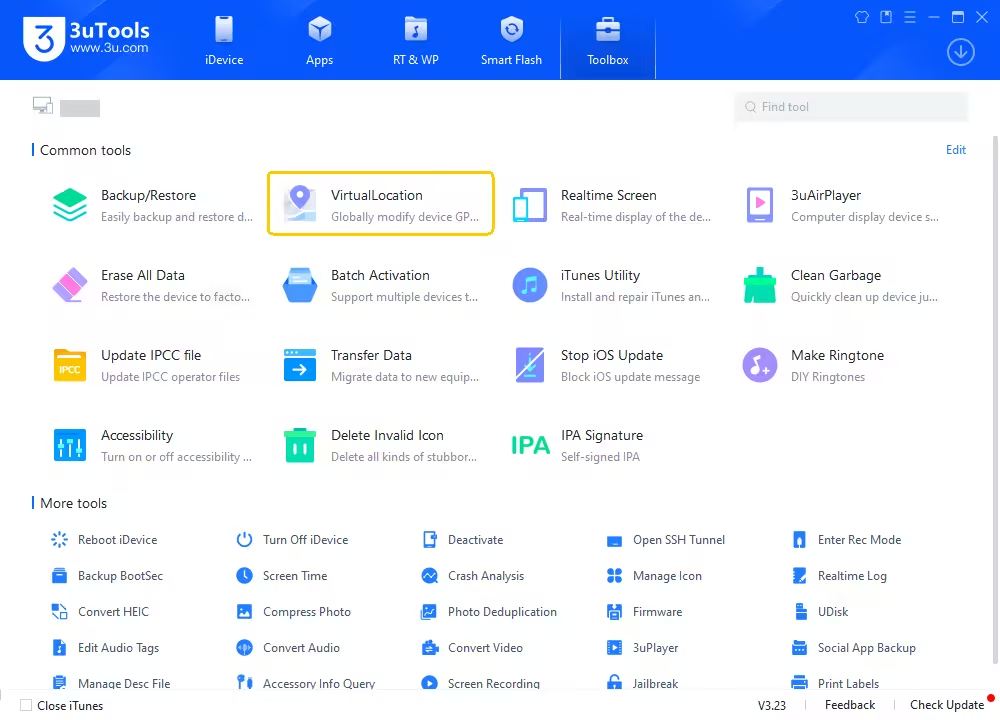
Step 4. Enter the coordinates or place name where you want to teleport your in-game character.
Step 5. Click “Modify virtual location” to spoof your location.
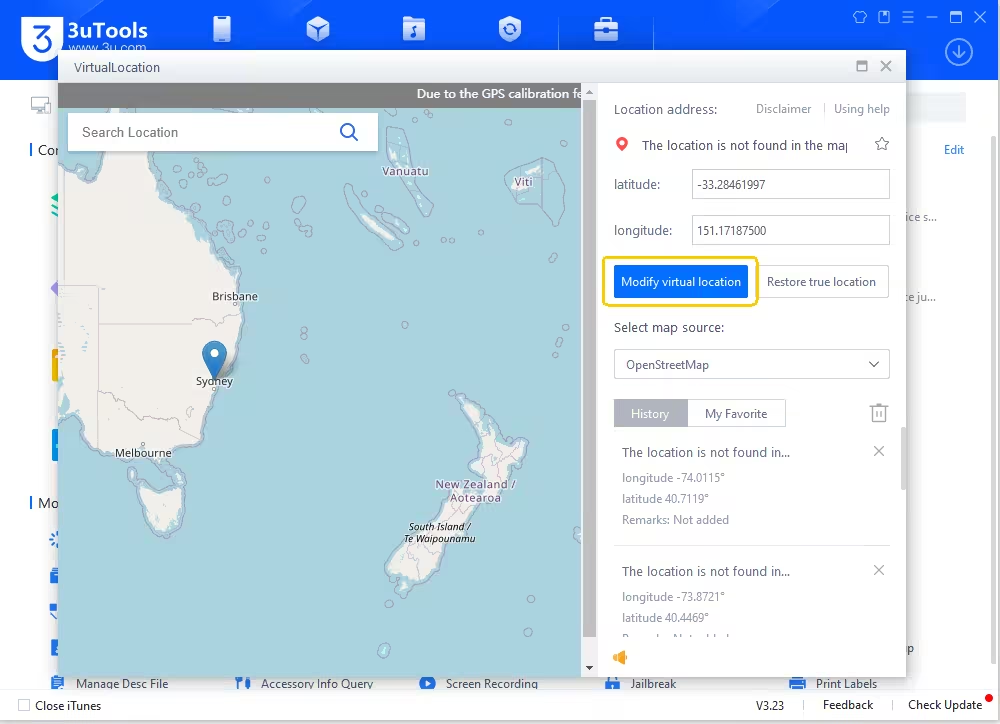
Step 6. Open Pokémon GO and your avatar will appear at the chosen spot.
Step 7. To return to your real location, simply click “Restore true location” and restart your iPhone.
1. This method only sets your GPS position; it doesn't simulate walking or include cooldown timers.
2. It's best used for a single teleport, not long-distance or frequent jumps.
3. Make sure not to perform actions (e.g., catching Pokémon or spinning PokéStops) before cooldown ends to avoid Pokémon GO soft bans.
2 IPA Signature for Sideloading Pokémon GO Mods
3uTools also lets you sign and install IPA (iOS App Store Package) files directly onto your iPhone or iPad, a process known as sideloading.
When using a modded Pokémon GO app like iPogo or PokeGo++, you're typically dealing with unofficial IPA files that require a third-party tool to install. That's where 3uTools comes in.
Here's how to do it:
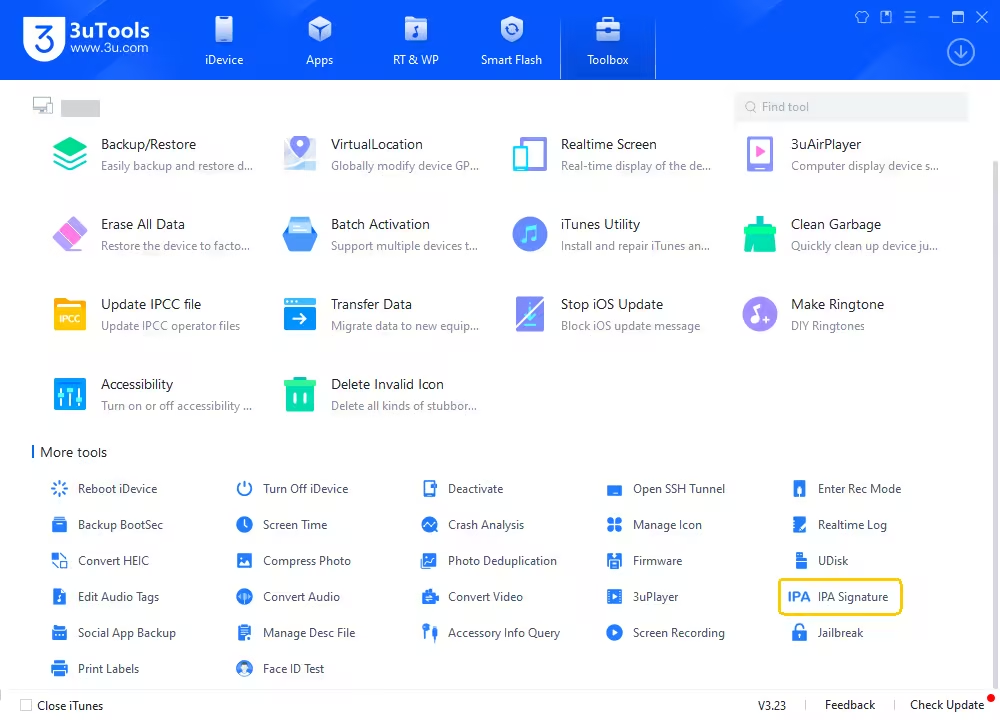
Step 1. Find IPA Signature in Toolbox and open it.
Step 2. Add IPA files > Sign with a certificate or with Apple ID > Start signing. Keep your phone connected during the process
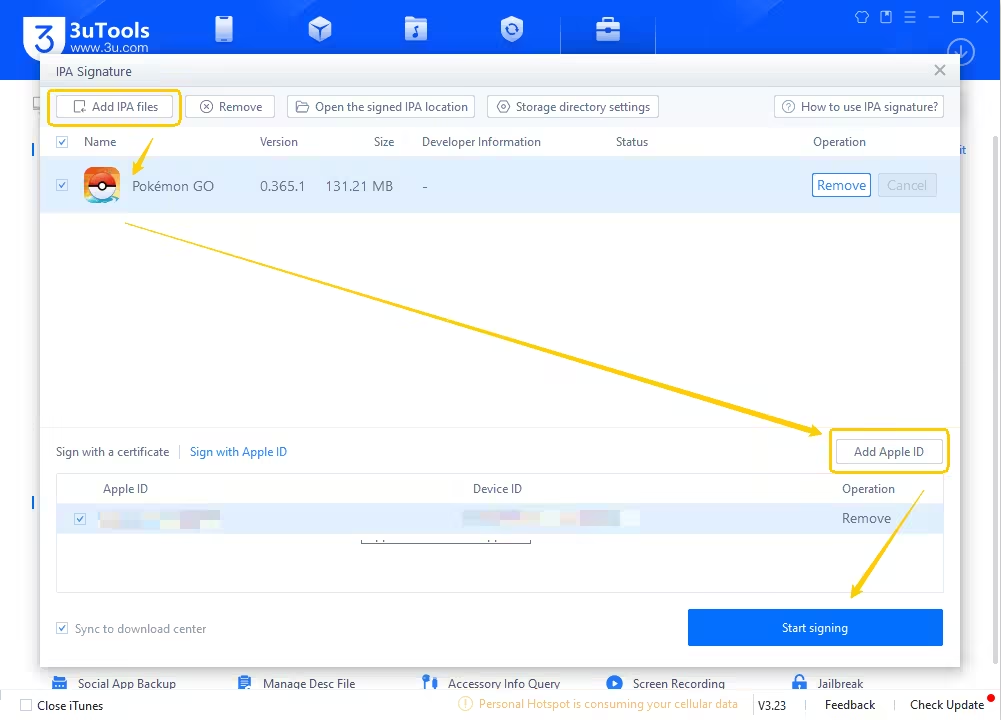
Step 3. The sideloaded app will appear on your phone once the signing process is successful.
Can You Still Spoof Pokémon GO with 3uTools in 2026?
No,you can't spoof Pokémon GO using 3uTools in 2026.
Tethering your phone to a PC or Mac with a USB cable to spoof using developer tools no longer works. Pokémon GO now detects developer mode locations and blocks them.
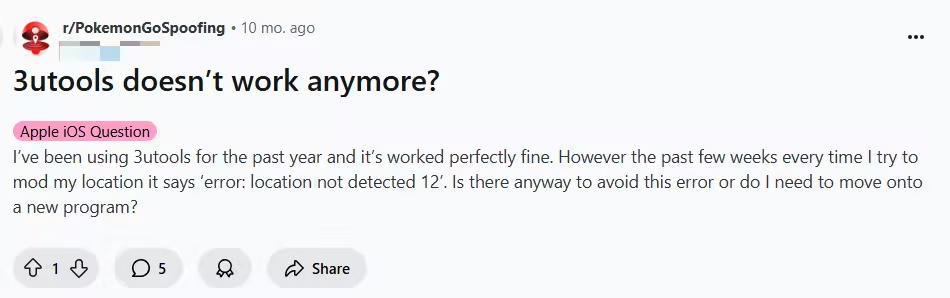
Even before this happened, many users on Reddit reported that the experience had become increasingly unreliable, especially on newer iOS versions. The most common issue was location drift or automatic reversion.
After setting a fake location with 3uTools, users often found their GPS snapping back to their real-world location within minutes. This doesn't just break immersion—it can also trigger cooldowns or soft bans in Pokémon GO if you're mid-action when it happens.
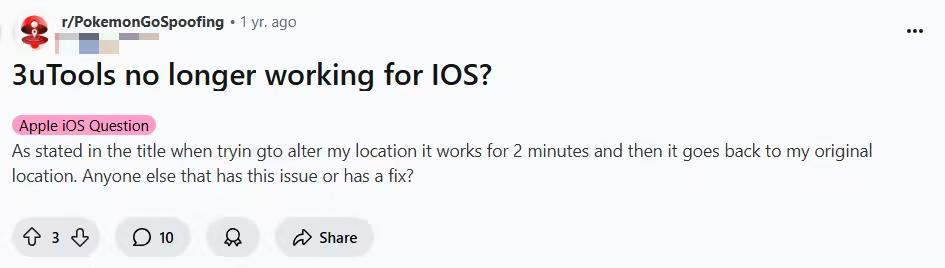
Another frequently mentioned error was the Failed to detect location (12). This means Pokémon GO has detected you're mocking location. If you stick with the same spoofing tool for too long, you're putting your account at serious risk of being banned.
Pros and Cons of 3uTools Pokémon GO Spoofing
If you're still on the fence about trying 3uTools for Pokémon GO spoofing, here's a quick look at its pros and cons to help you make an informed choice:
Pros of 3uTools Pokémon GO Spoofing
- Free to use: 3uTools is completely free and doesn't require any subscriptions.
- All-in-one tool: Besides location spoofing, it supports flashing, jailbreaking, backup, file transfer, and app sideloading.
- iOS compatibility: Works on most iOS versions, especially useful for sideloading IPA files like iPogo or PokeGo++.
- Map control: Lets you select your map source (e.g., Google Maps, OpenStreetMap) for better spoofing precision.
- No need for jailbreak: Spoofing can be done without jailbreaking your device.
Cons of 3uTools Pokémon GO Spoofing
- Unstable GPS Spoofing: Location often reverts to your real one, triggering cooldown issues.
- Frequent Error 12: Many users report the “location not detected (error 12)” message, especially after iOS updates.
- Not Pokémon GO–Specific: Unlike tools like iPogo or PGSharp, 3uTools isn't designed specifically for Pokémon GO, so it lacks built-in features like a walking joystick, cooldown timers, auto-walk, and IV filters. Also, it may not keep up with future Pokemon GO updates.
- Limited Compatibility with Newer iOS: Spoofing has become more difficult on iOS 15 and above, with Apple tightening security.
Best Alternatives to 3uTools for Pokémon GO
If 3uTools feels clunky or unstable for spoofing Pokémon GO, AnyTo GPS location changer is your top alternative. Unlike 3uTools, AnyTo is optimized specifically for location simulation in Pokémon GO.
More importantly, AnyTo stays updated with every major Pokémon GO and uses Bluetooth connection to PC/Mac, thanks to the dedicated team behind it who happen to be passionate Pokémon GO players themselves.
AnyTo's New Features
AnyTo's New Feature #1: PoKo Assistant lets you auto-raid, auto-Rocket Battles (attack automatically without tapping on the screen), and modify every throw.

AnyTo's New Feature #2: AnyTo Plus works through Bluetooth pairing between an Android phone and your iPhone, letting you change your iPhone’s location directly without using a PC.


AnyTo Pokémon GO Spoofer
Make Pokémon GO accessible for everyone
168,282 people have downloaded it.
- Fake iOS/Android GPS location to anywhere in the world in one click.
- 100% Work with location-based apps such as MHNow, social platforms, etc.
- Offers various features for Pokémon GO, like a joystick, cooldown timer, and maps for Routes and PokéStops.
- Import / Export GPX file to save your favorite routes.
- Compatible with All iOS & Android versions.
AnyTo vs 3uTools
| Feature | AnyTo | 3uTools |
|---|---|---|
| Ban Risk | Low | High |
| Joystick & Auto Walk |  |
 |
| Bluetooth Connection | |
|
| Speed Control | |
|
| Default Map Location | Remembers last used location | Always starts in Wellington, NZ |
| Map Source Quality | Clean and game-focused | Google Map with pop-ups and clutter |
| Multi-Device Support | Supports multiple devices at once | Only supports one device at a time |
| Location Reset Function | Works on program close | Manual “Restore True Location” needed |
| Performance | Fast, accurate, smooth navigation | Slower response and clunky UI |
| Device Switching | Quick and easy | Multiple steps required |
How use AnyTo to change location in Pokémon GO
Watch Video Tutorial to Spoof in Pokémon GO easily

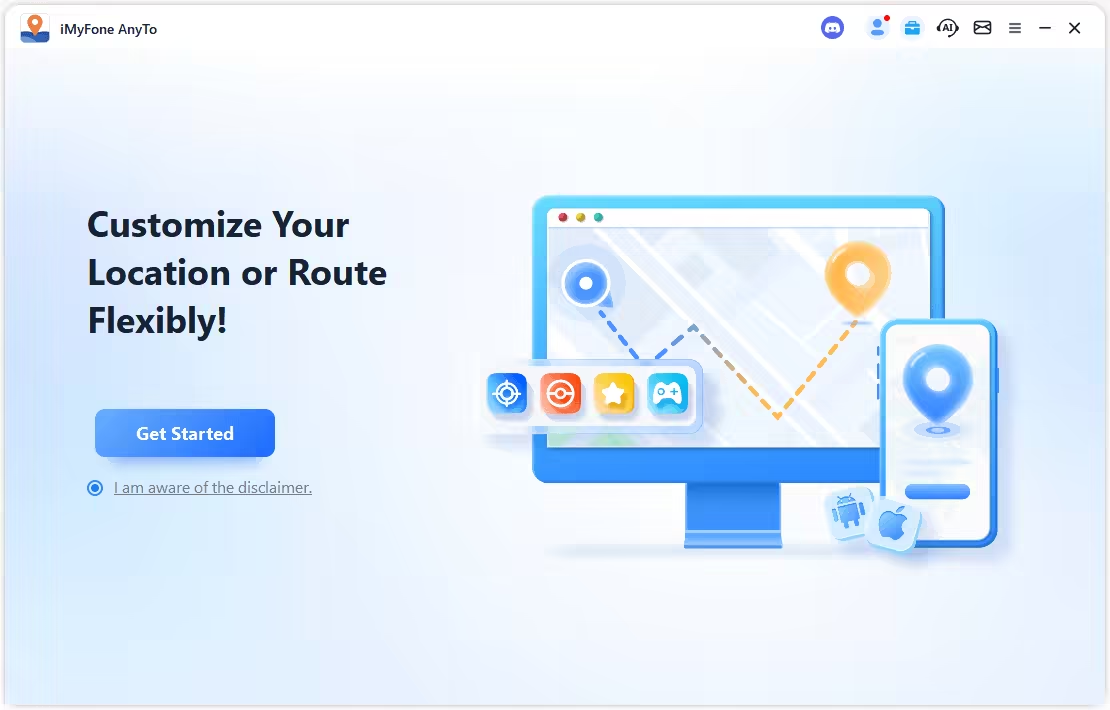
Step 1. Install AnyTo on your PC and follow the instructions to setup.
Step 2. Launch AnyTo and connect your phone to your PC using a cable via Bluetooth.
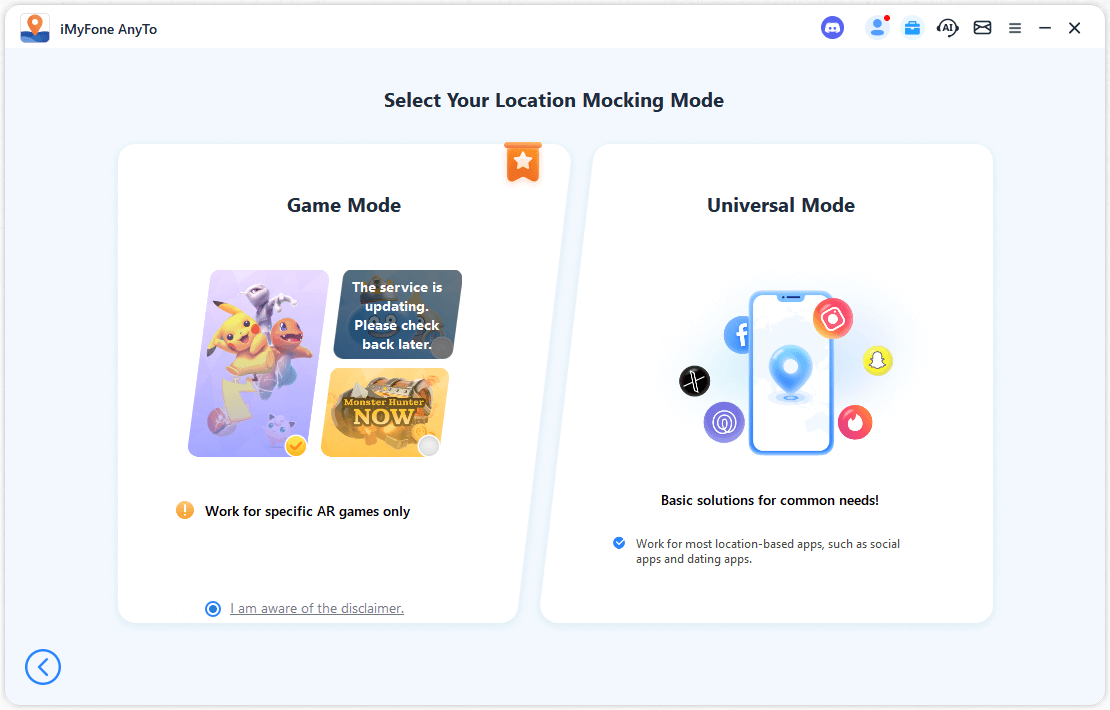
Step 3. Choose Game Mode.
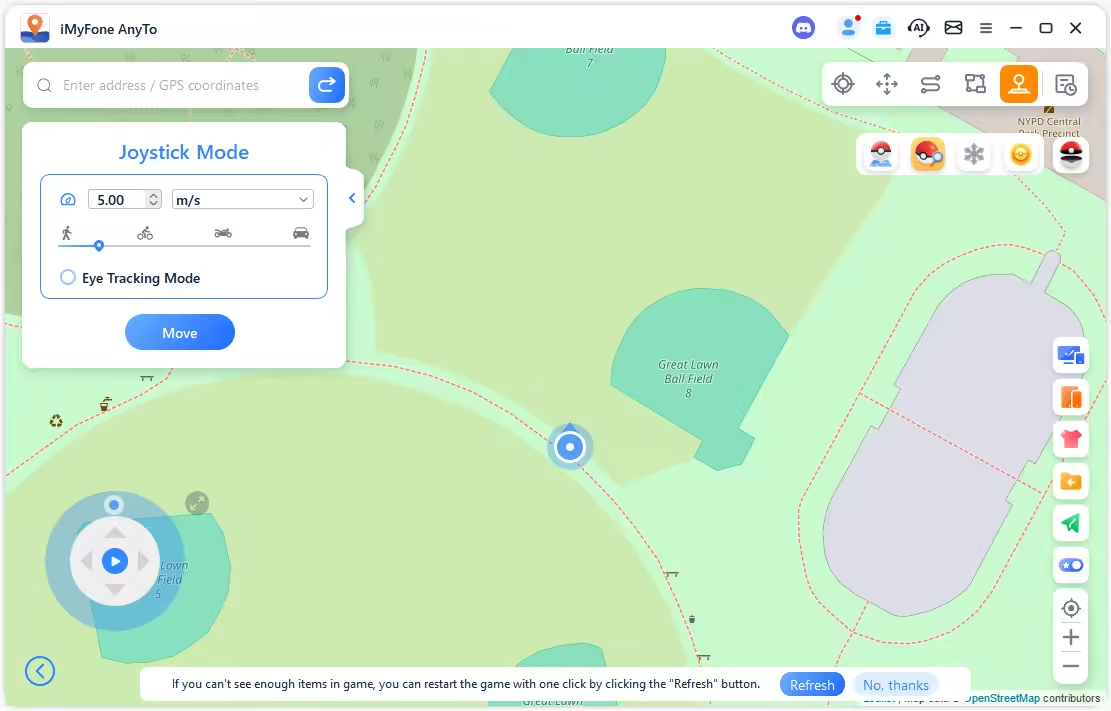
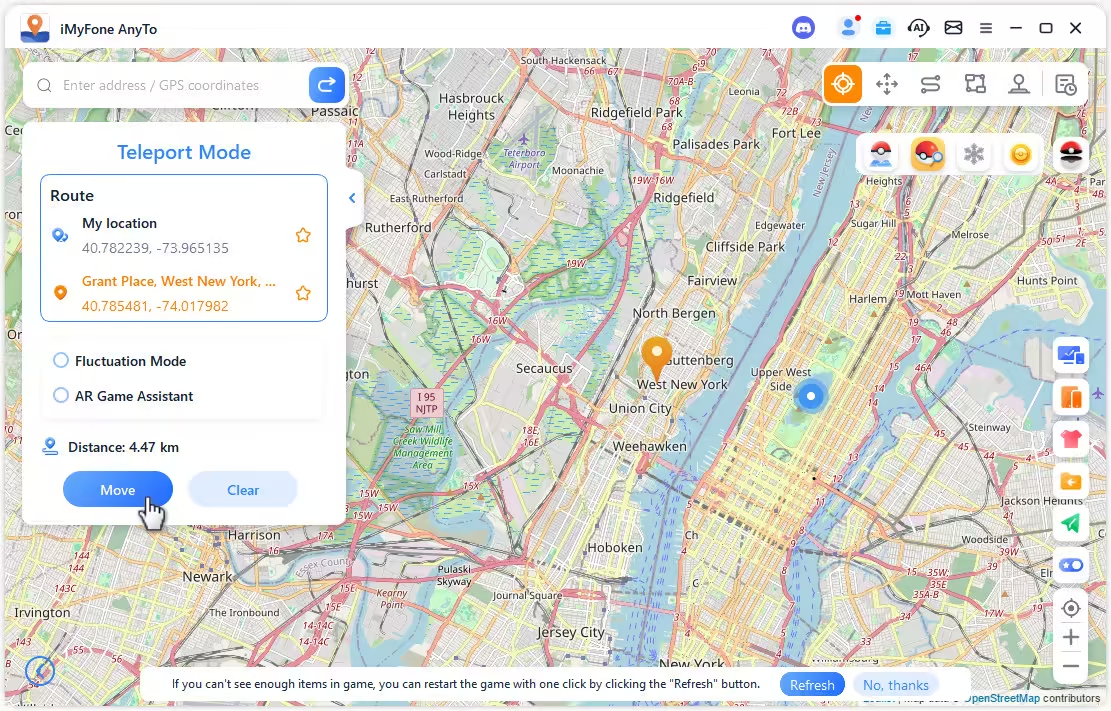
Step 4. Now you can enjoy Pokémon GO with a joystick or use the Teleport Mode to change location instantly.
FAQs About 3uTools Pokémon GO
1. Does 3uTools work for Android?
No. 3uTools is exclusively designed for PCs and iOS devices. It doesn't support Android phones or tablets, and there's no Android-compatible version available.
2. Is 3uTools safe to use?
Yes, 3uTools is a well-known iOS utility tool and has been around for years.
However, when used for spoofing in Pokémon GO, safety becomes a gray area. While the tool itself is legit, spoofing always carries a risk of soft bans or permanent bans from Niantic if not done carefully.
3. Does 3uTools work with iOS 27?
Compatibility with the latest iOS versions like iOS 27 may be limited or unstable.
As of now, many users have reported issues like “location not detected” or automatic location reversion on iOS 27. If you're running the latest iOS, newer alternatives like AnyTo tend to be more stable.
Conclusion
3uTools Pokémon GO spoofing remains a nostalgic and partially functional method in 2026, but it's no longer the most reliable or user-friendly option out there.
With increasing compatibility issues—especially with iOS 27—and recurring problems like location reverting or "location not detected" errors, many trainers are finding it harder to spoof safely using 3uTools.
For smoother performance, safer spoofing, and better compatibility across devices, tools like AnyTo are emerging as more dependable alternatives. If you're still using 3uTools for Pokémon GO, now might be the time to upgrade.

 AnyTo Discord Server

Ryan Miles is a seasoned gamer and mobile strategy writer with over 5 years of hands-on experience in Pokémon GO spoofing and GPS-based games. Known for breaking down complex location tricks into beginner-friendly guides, Ryan’s mission is simple: help you explore more, catch faster, and play smarter without ever leaving home.
-
Hyper Training Guide: Best Pokémon for Silver Bottle Caps in Pokémon GO
How does Silver Bottle Cap work in Pokémon GO? Which Pokémon should you use the Silver Bottle Cap on? Check out this ultimate Hyper Training guide!
17 mins read -
Paldean Tauros Forms in Pokémon GO: Tips to Get Aqua, Blaze & Combat Breeds
Want to get all Paldean Tauros forms fast in Pokémon GO? Discover where to find Aqua, Blaze, and Combat forms and the best raid strategies for 2026.
16 mins read -
Best Remote Shadow Raid Tips for Pokémon GO (2026)
Want to master Remote Shadow Raids in Pokémon GO 2026? Discover pro tips, best Pokémon picks, and smart ways to save your raid passes!
20 mins read -
Pokémon GO Forever Friends & Remote Trades: What You Need to Know
Find out how Forever Friends and Remote Trades work in Pokemon GO, how to become Forever Friends, and how this new feature affects everyone.
28 mins read -
How to Spoof Pokémon GO Fest 2026: Tokyo, Chicago & Copenhagen
Is GO Fest 2026 worth it for spoofers? Learn how to spoof safely, explore top coordinates, and get spoofing tips for Tokyo, Chicago, and Copenhagen!
9 mins read -
Is AnyTo Safe for Pokémon GO & GO Fest? Full Guide
Is AnyTo safe for Pokémon GO? Can you use it for GO Fest? This guide has the answers and tips on how to get the most out of the event.
8 mins read
Was this page helpful?
Thanks for your rating
Rated successfully!
You have already rated this article, please do not repeat scoring!