
 Top-Views
 New-Updates


Unlock the World: Explore Any AR Game Anywhere with AnyTo. No Walking, No Limits.
Wondering how to change your Pokémon GO name? It’s simple, whether you want to update your trainer name for fun or privacy, this quick guide will show you exactly how to do it in minutes.
In this article:

Can You Change Your Pokémon GO Name?
Yes, you can change your Trainer Name in Pokémon GO, but there’s a catch. If you’d like to change your Trainer nickname, you can do it from the Settings menu. However, you can only change it a limited number of times, so choose wisely. Once you hit the limit, the Change Nickname option will disappear from your settings.
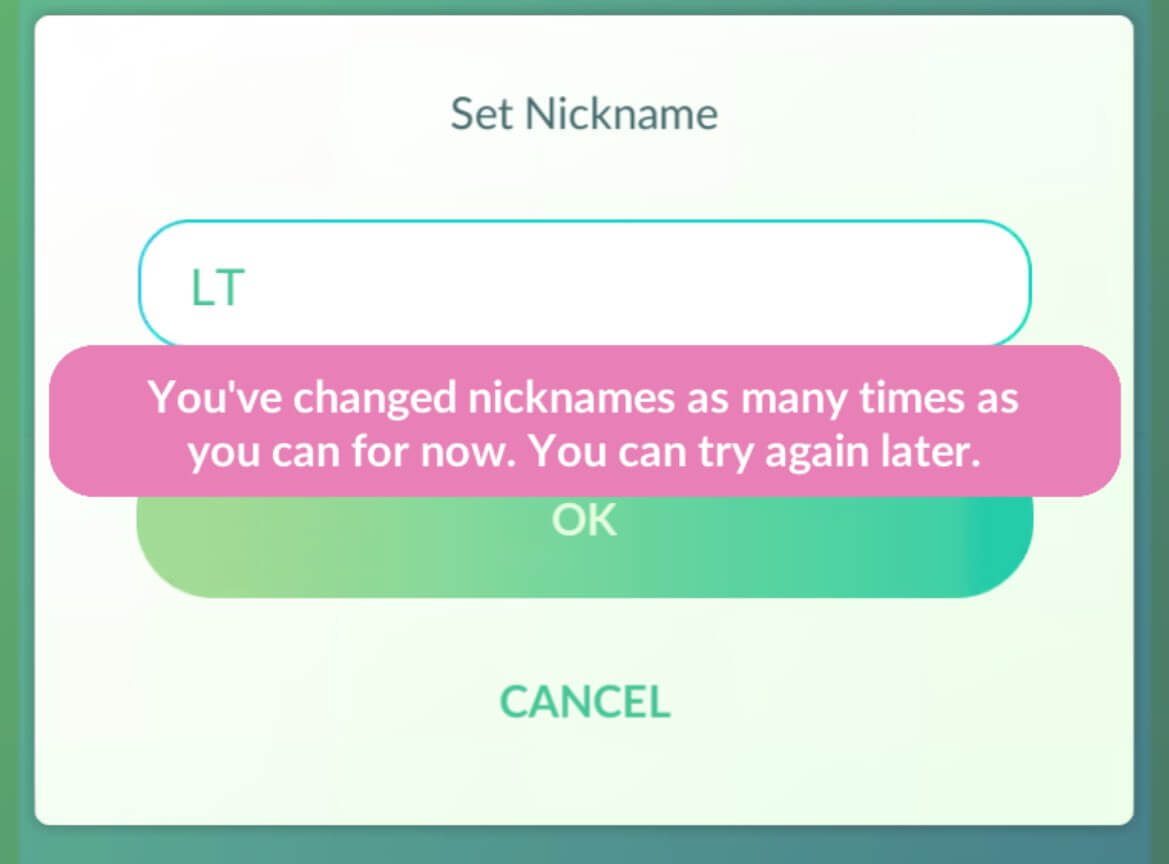
Keep in mind that your Trainer Name is visible to other players, so make sure it’s something you’re happy to show.
Bonus tip: Some Trainers on Reddit have reported that if you really need an extra name change after reaching the limit, you can try contacting Niantic Support. They might grant you one more chance.
How to Change Pokemon GO Name (Trainer Name)
Changing your Trainer Name is simple. Here’s what to do:
1. Open Pokémon GO and tap the Poké Ball to open the main menu.
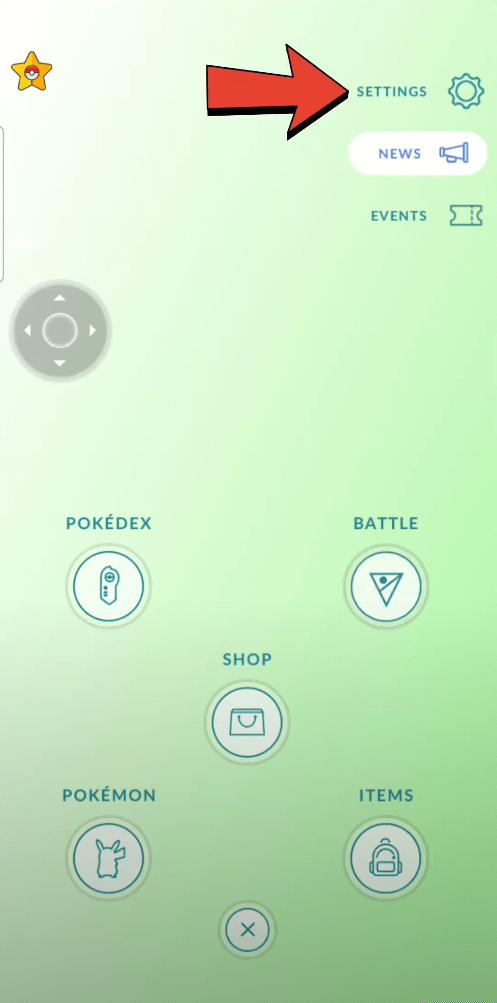
2. Go to Settings (tap the gear icon) and scroll down to find Account.
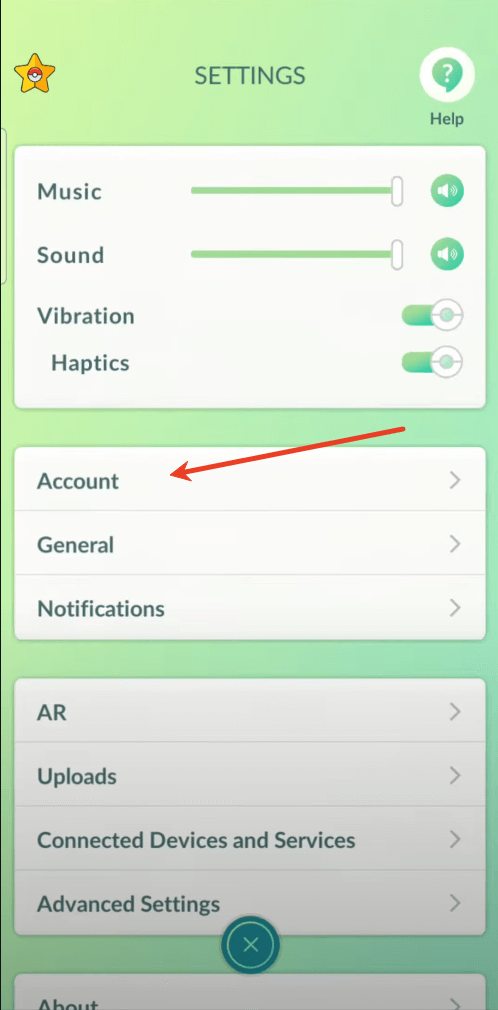
3. Above the Account section, you’ll see your current Trainer name. Tap the button next to it to edit.
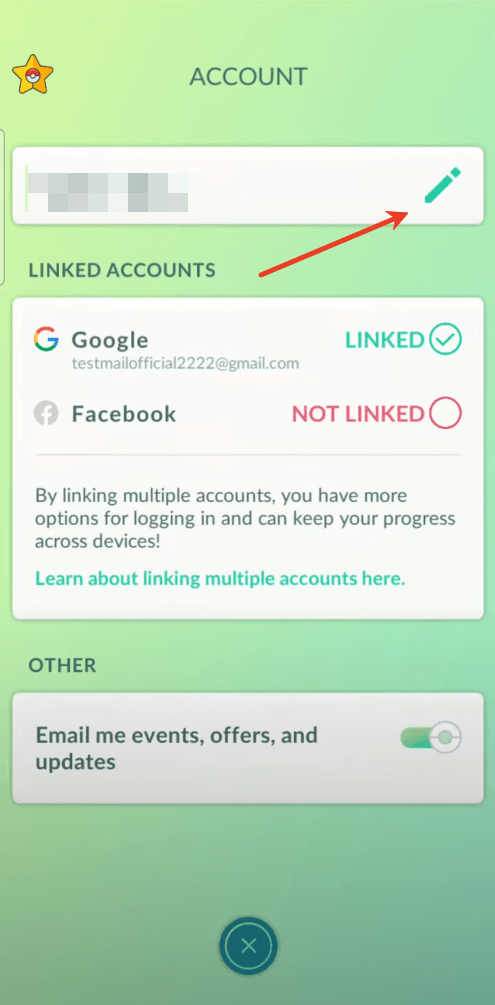
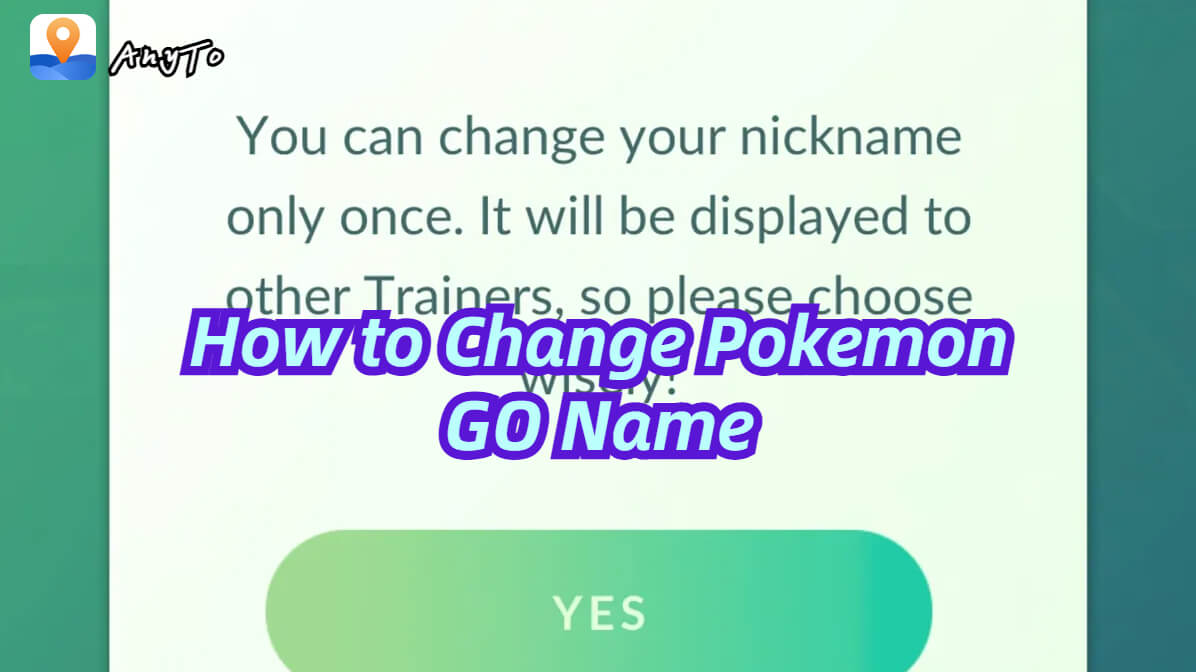
4. Tap “Yes” when asked if you’re sure you want to change it.
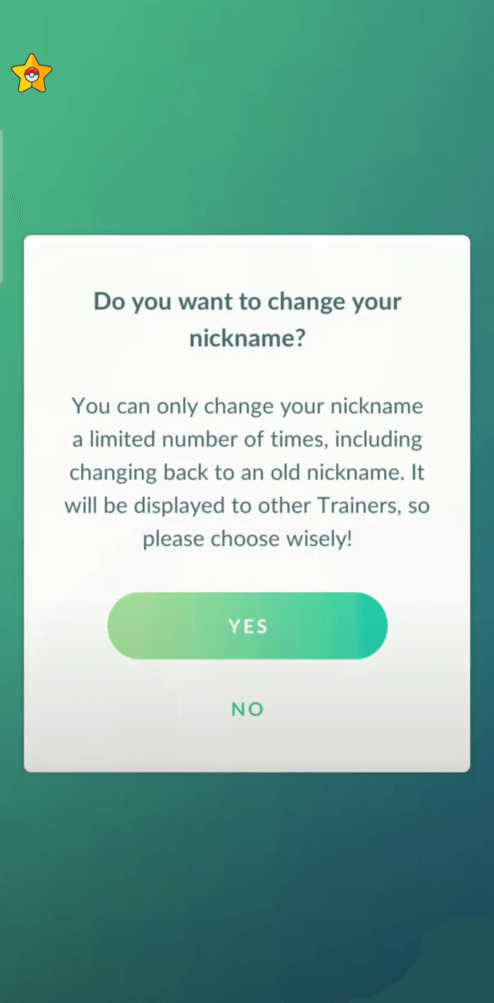
5. Enter your new Trainer name, confirm, and you’re done!
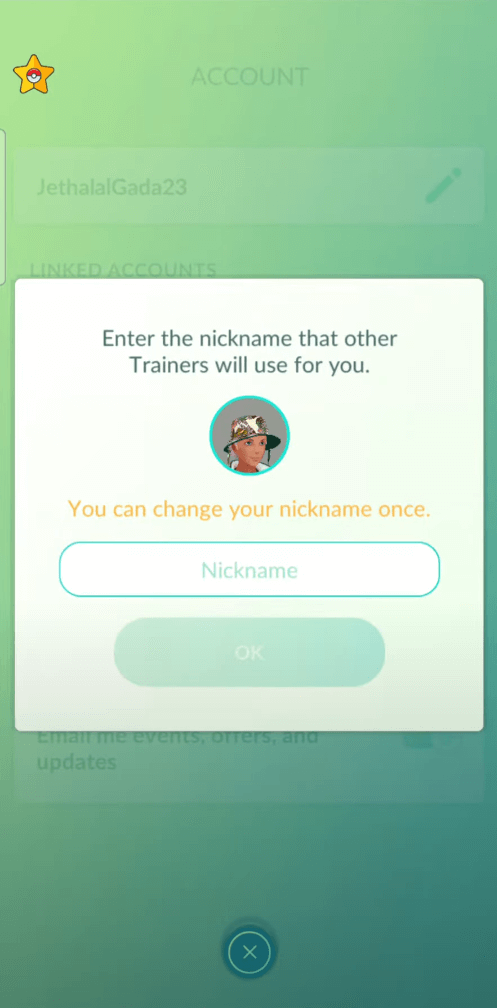
Once you confirm, your new Trainer Name will appear for you and other Trainers.
Tips for Choosing a New Trainer Name
Before you lock it in, keep these tips in mind:
- Stay appropriate: Offensive or copyrighted names can get flagged.
- Check availability: Popular names may already be taken.
- Be unique: Try mixing letters, numbers, or special characters to find a free name.
- Plan ahead: Remember, you can only change your Pokemon GO name for several times!
 1-Click Change GPS Location with AnyTo!
Choose your platform and install (iOS, Android, PC).
Select a location mocking mode.
Change location anywhere you like.


Can You Change Pokémon Nicknames?
Absolutely. Unlike your Trainer Name, you can rename your Pokémon as many times as you like, anytime, anywhere. Just tap your Pokémon, hit the pencil icon next to its name, type your new nickname, and save.
Bonus: Level Up Your Pokémon GO Experience with AnyTo
Changing your Trainer Name is just the beginning. If you want to find rare Pokémon, join special Raids, or explore global nests without leaving home, AnyTo can help.
With AnyTo, you can safely change your location, simulate movement with a joystick, and unlock more smart gameplay features, all without needing a cracked game or risky Pokémon GO hacks.

AnyTo's Key Features
- Spoof Your Pokémon GO Location Instantly: Teleport anywhere, catch regionals, hatch eggs faster.
- Safe & Easy to Use: Works on iPhone & Android, no jailbreak, no risk.
- Supports All Location-Based Apps: Perfect for Pokémon GO, Monster Hunter Now, Tinder & more.
- Bluetooth Connection — Fix Error 12: Smooth, stable, and safe spoofing experience.
- Free Trial Available: Try AnyTo now and level up your gameplay.
- Try AnyTo for free and play Pokémon GO your way.
Steps to use AnyTo:
Step 1: Download and install AnyTo. You can either download the PC version to change the location on your iOS/Android device via computer, or get the mobile app version to modify your location directly.
Step 2: Once installed, enter coordinates or a place name in the search bar and change your location with one click.
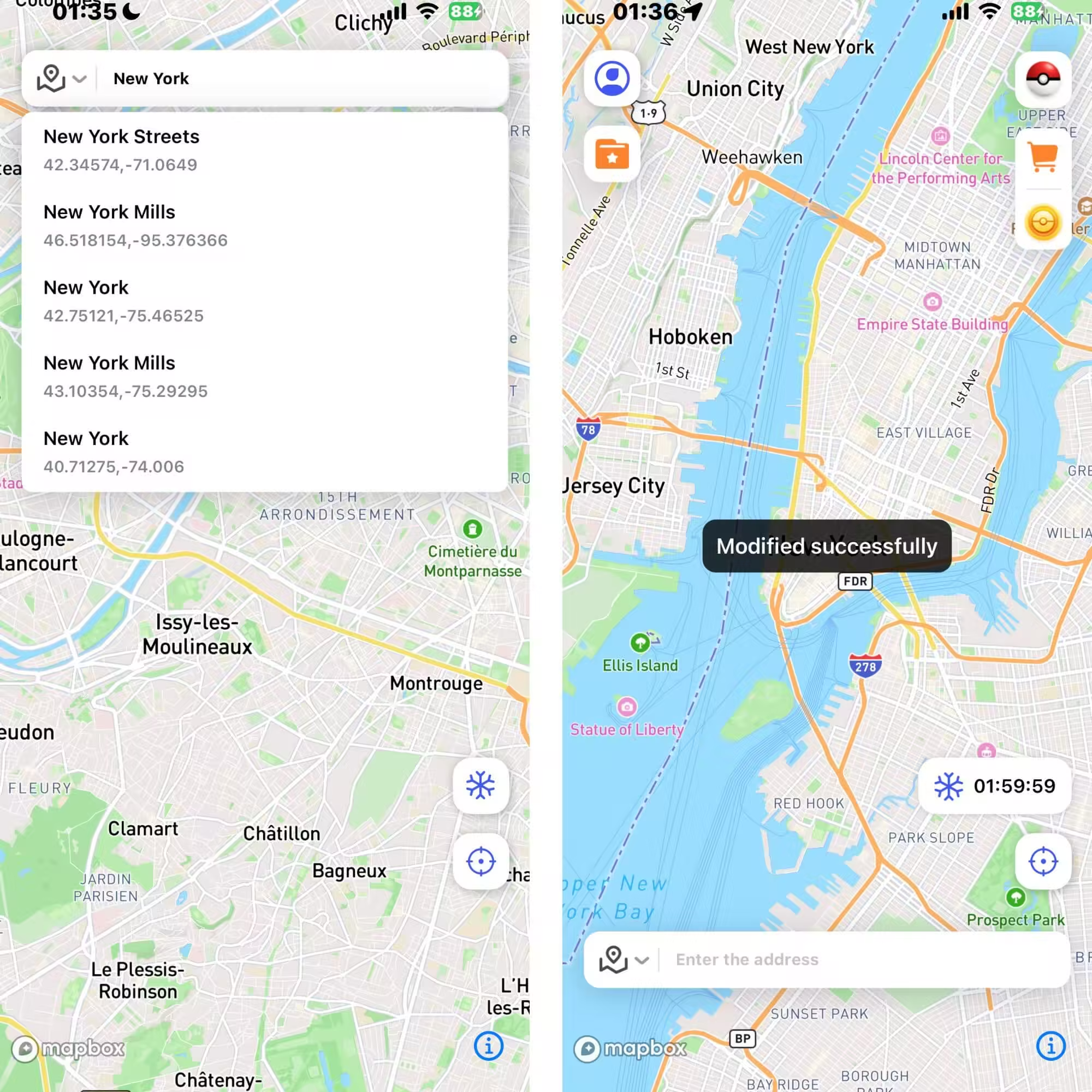
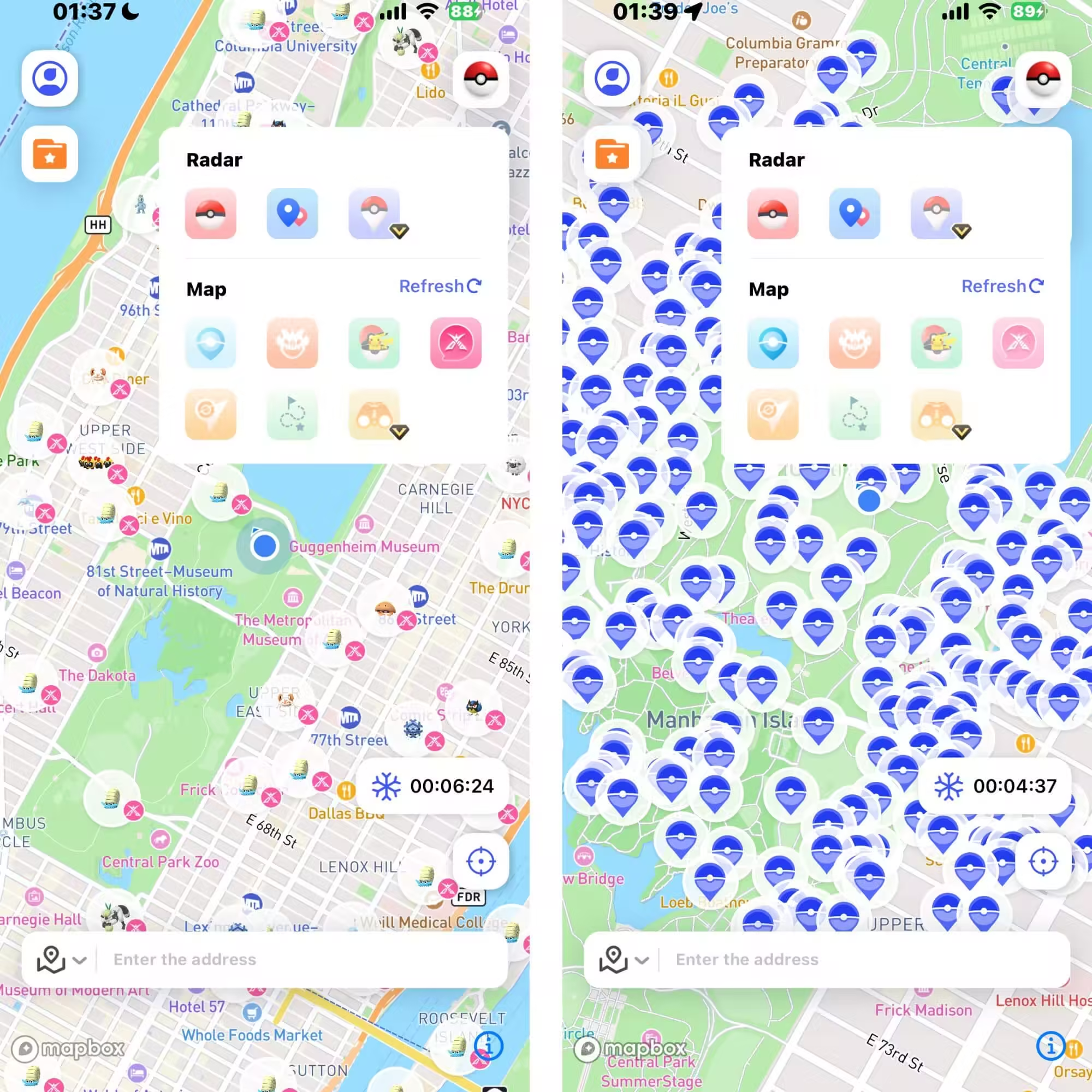
Step 3: You can also use the special game features to find nearby raids, Pokémon, PokéStops, and more.
Conclusion
Changing your Pokémon GO name is easy when you know how. Enjoy your fresh identity, and if you’re ready to take your hunting to the next level, don’t forget to check out AnyTo for secure GPS spoofing and more smart tools.


Ryan Miles is a seasoned gamer and mobile strategy writer with over 5 years of hands-on experience in Pokémon GO spoofing and GPS-based games. Known for breaking down complex location tricks into beginner-friendly guides, Ryan’s mission is simple: help you explore more, catch faster, and play smarter without ever leaving home.
-
Is the iTools Bluetooth Joystick 2.5 Worth It for Spoofing Pokémon GO?
Hesitating whether you should get a iTools BT 2.5 Joystick for Pokémon GO in 2026? Check out this review, find out the pros, cons, and what its users say.
10 mins read -
How to Use Pokémon GO Auto Walker on iOS & Android in 2026
Learn how to auto walk in Pokémon GO. Use iMyFone AnyTo, one of the best auto-walker apps for iOS and Android, to hatch eggs and earn distance effortlessly.
6 mins read -
Can You Play Pokémon GO on Bluestacks? Complete 2026 Guide
Does Pokémon GO still work on Bluestacks? Is your Pokémon GO crashing on Bluestacks? How to play it on PC? This article has the answers you're looking for!
21 mins read -
DeFit Pokémon GO 2026: Still Working? Best Alternative
Wondering if DeFit still work for Pokémon GO in 2025? How do you use it? What happens if it doesn't work? Find your answers in this DeFit Pokémon GO guide!
29 mins read -
Is UnicTool TailorGo Worth It? Review, Safety & Alternative
What is UnicTool TailorGo? How does TailorGo work with Pokémon GO? Is it worth trying? Read this review on safety, features, and the best alternative now!
46 mins read -
Is TweakBox Pokémon GO Still Working? Best Alternatives!
What is TweakBox? Does TweakBox still work? Does TweakBox have Pokémon GO? What are the best alternatives for TweakBox Pokémon GO? Find the answers here!
6 mins read
Was this page helpful?
Thanks for your rating
Rated successfully!
You have already rated this article, please do not repeat scoring!